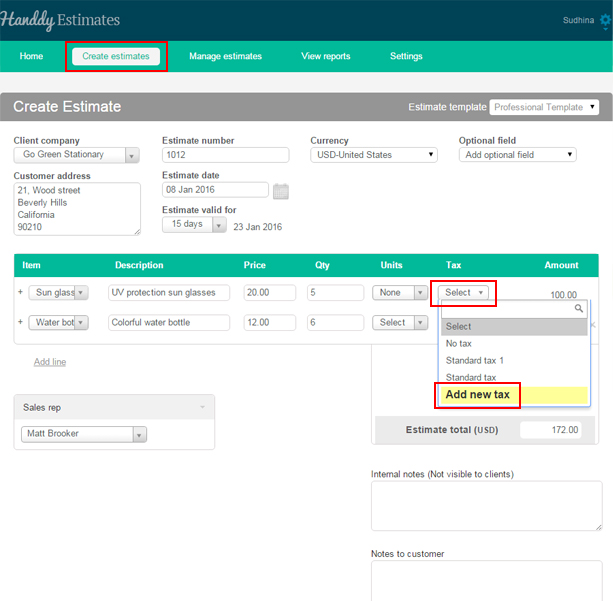
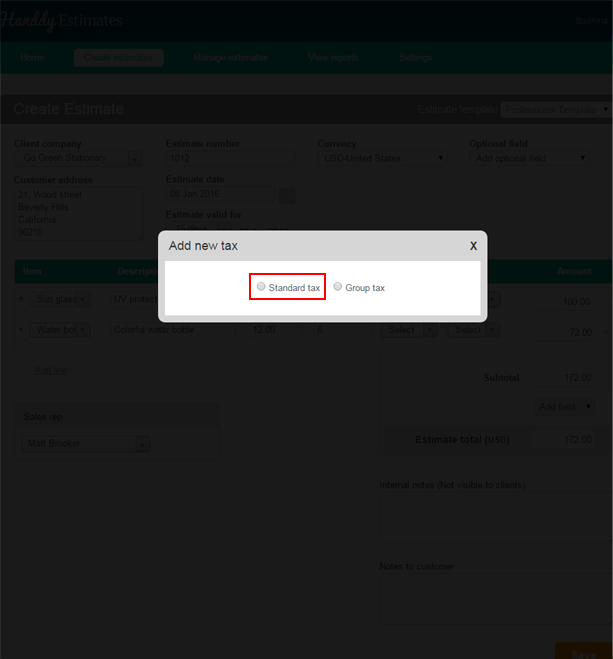
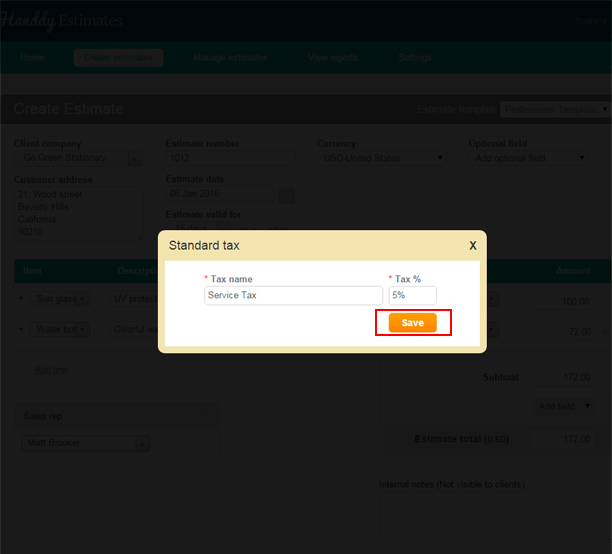
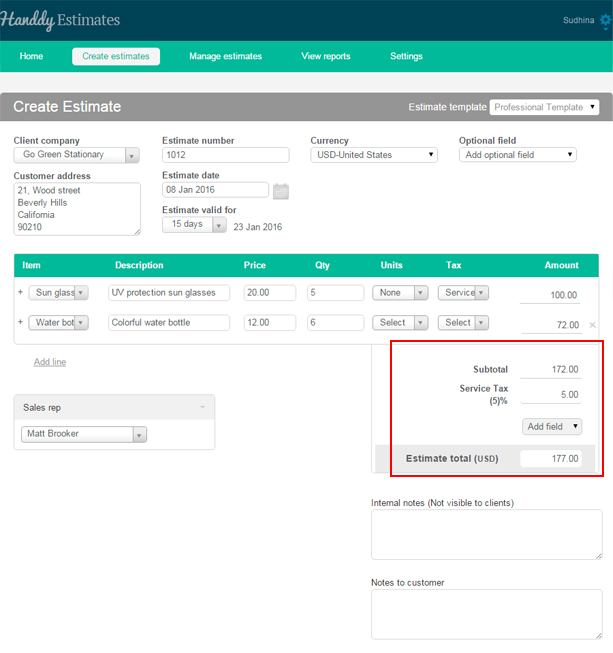
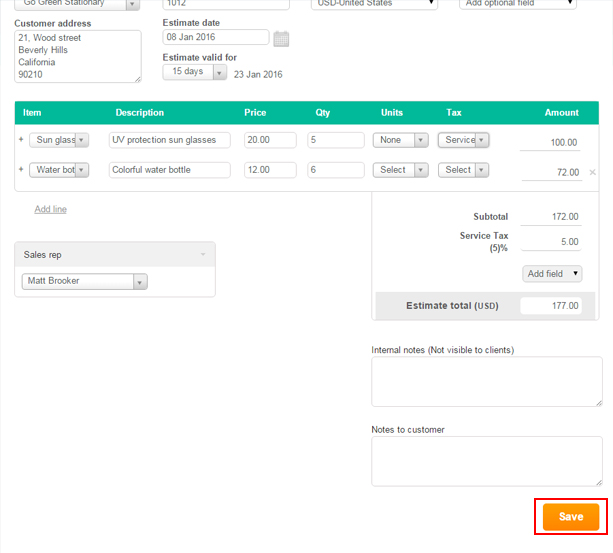
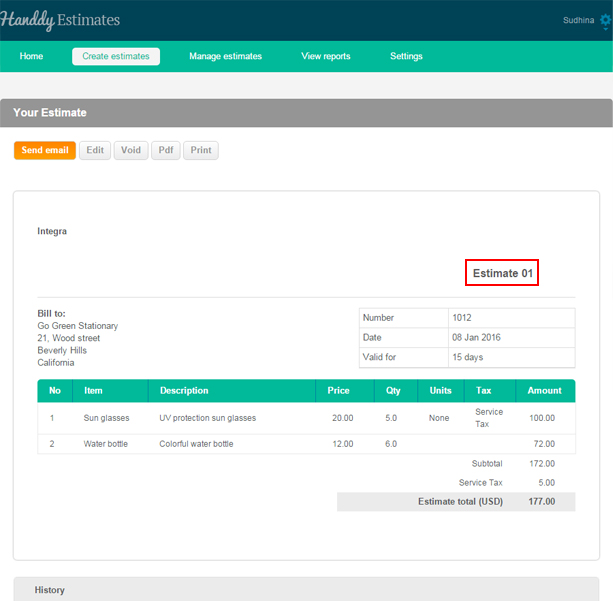
Categories Settings How to add taxes? Post author By handdyaccounts_help Post date January 23, 2016 How to add taxes?577 views Enter sale particulars like Items, ‘Description’, ‘Hours’ and ‘Rates’ for the each line item. From the ‘Tax’ tab select ‘Add new tax’ option for the line item(s) that you wish to add tax to. Below the ‘Subtotal’ option you will see ‘Add field’ button. Click ‘Add field’ button and select ‘Add tax’. Select ‘Add new tax’ You will find 3 options namely,‘ Standard tax’,’ Group tax’, ‘Tax over tax’ Select any of them and give it a new name. Click ‘Save’ button Estimate total will be displayed Estimate total is the tax calculated for the Subtotal that is printed just below the line items. Answer to more questions ← What are the different settings for estimates? → How to add product or service details
 Handdy Estimates Help and Support