Skip to the content
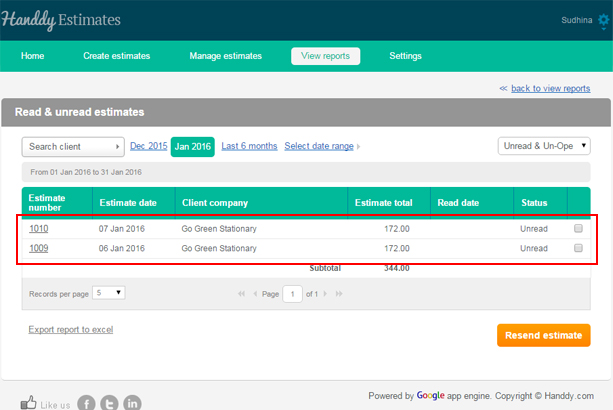
How do I view estimates that are unopened?
Go to ‘View reports’, >> ‘Reports’, >> ‘Un-opened estimates’
You can select the current month, previous month or a date range to view all the unopened estimates of the month.
The unopened estimates will be displayed
How do I view opened estimates?
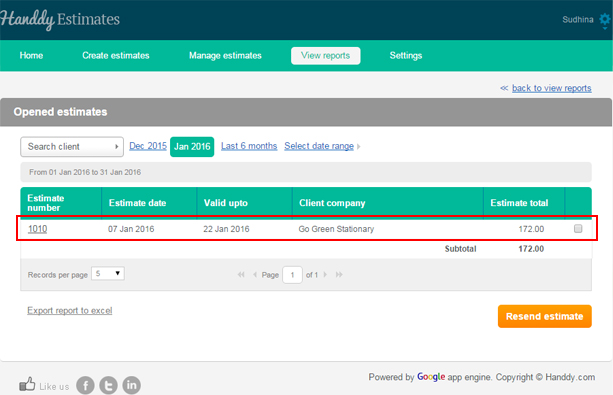
- Go to ‘View reports’, >> ‘Reports’, >> ‘Opened estimates’
- You can select the current month, previous month or a date range to view all the opened estimates of the month.
- The opened estimates will be displayed
How do i view rejected Estimates?
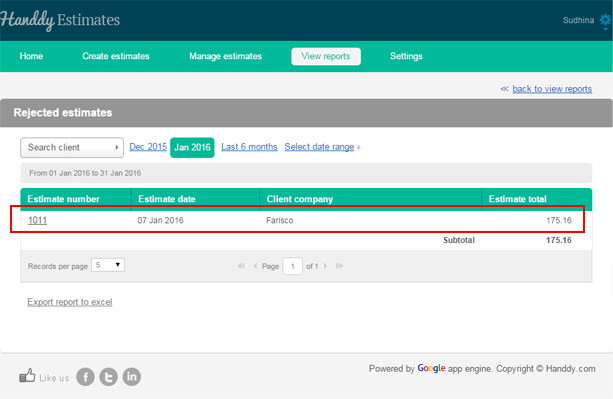
Go to ‘View reports’, >> ‘Reports’, >> ‘Rejected estimates’
You can select the current month, previous month or a date range to view all the rejected estimates at the month.
The rejected estimates will be displayed
How do I view accepted estimates?
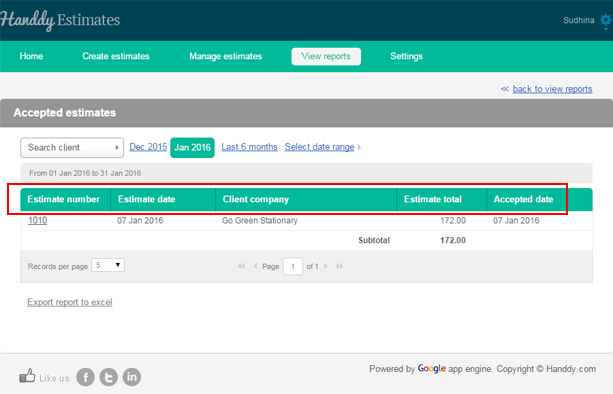
- Go to ‘View reports’, >> ‘Reports’, >> ‘Accepted estimates’
- You can select the current month, previous month or a date range to view all the accepted estimates at the month.
- The accepted estimates will be displayed
How do I view all estimates?
Go to ‘View reports’, >> ‘Reports’, >> ‘All estimates’
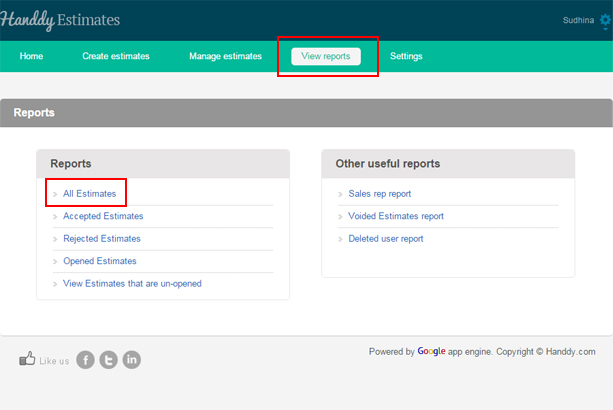
You can select the current month or previous month or a date range to view all the estimates that you created during the time period you selected.
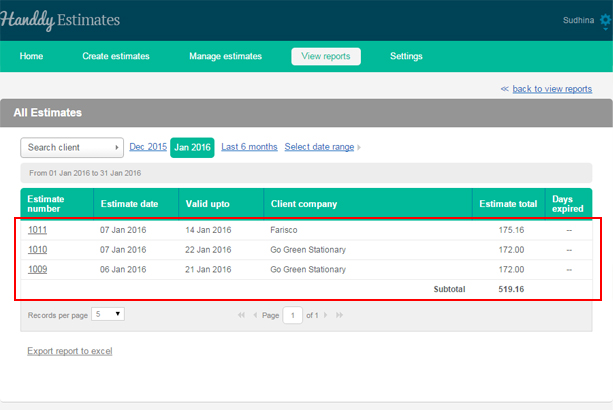
Select the ‘Export report in excel’ to create, view and export estimate reports in excel