
Skip to content
Handdy Invoice Help and Support
  • HELP AND SUPPORT

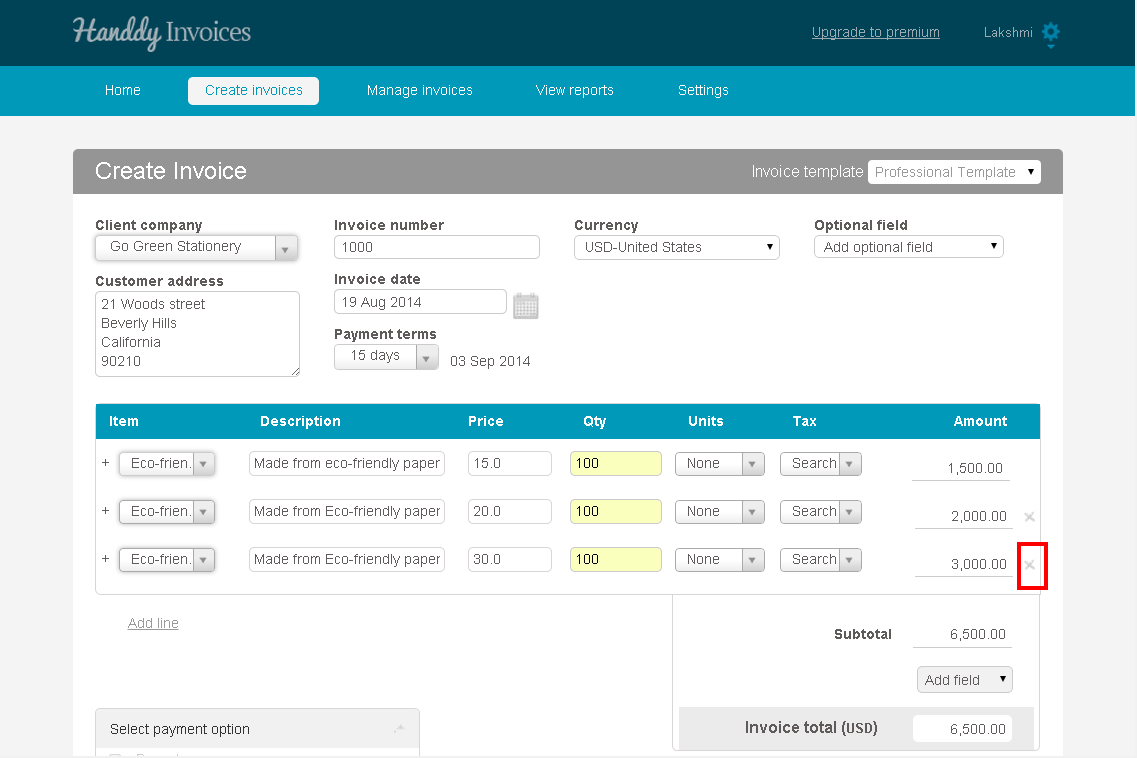
How do I delete a row from the invoice after I have added it?

While creating your invoice, for the particular row that you wish to delete, click on the ‘x’ which appears at the end of the row. The row will be deleted instantaneously.
Q 2

The row is removed.


Have you tried our small business online accounts software yet? Get it now

←Can I make an entry about the payments that I receive? If yes how can I do so?
How long will Handdy Invoices be free?→

Recent Posts

  • What is tax over tax? How to create this and how will it be displayed in my invoice?
  • What is payment tax. How do I create, edit and delete this tax?
  • Is it possible to edit taxes if they are used in an invoice ?
  • Is it possible to delete taxes if it is used in an invoice?
  • When and how can I use group tax? How to create, edit and delete a group tax? How will it appear in the invoice?

Categories

  • Creating an invoice
  • Manage Invoices
  • Payments
  • Reports
  • Settings
  • What's more on support

Need more help? Email us and we will reply back

© 2026 Handdy Timesheets. All rights reserved