
Skip to content
Handdy Invoice Help and Support
  • HELP AND SUPPORT

How do I add name of a new sales rep?

  • In ‘Settings’ under ’Invoice settings’ select ‘Sales rep details.
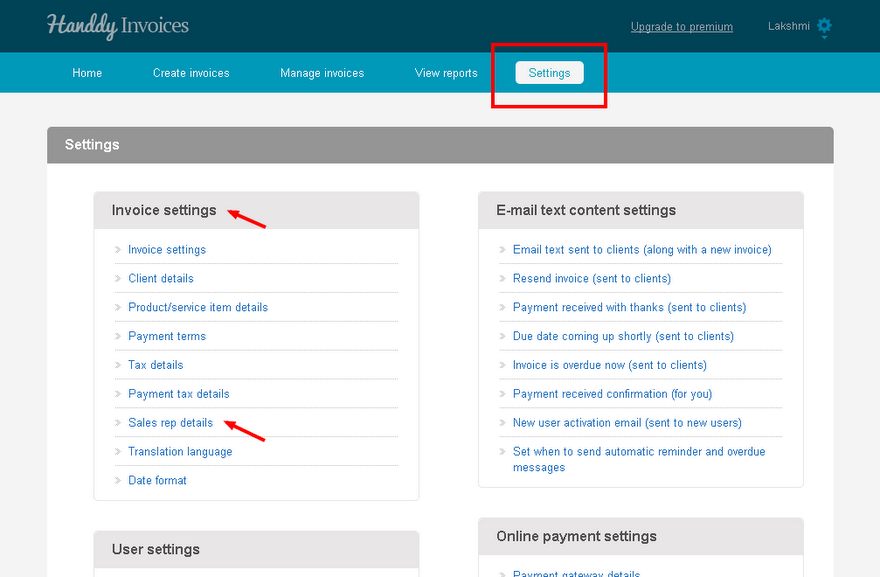
image053

  • Name and email of the sales rep will appear
  • Click on ‘Add new sales rep’ tab to enter the name of a sales rep
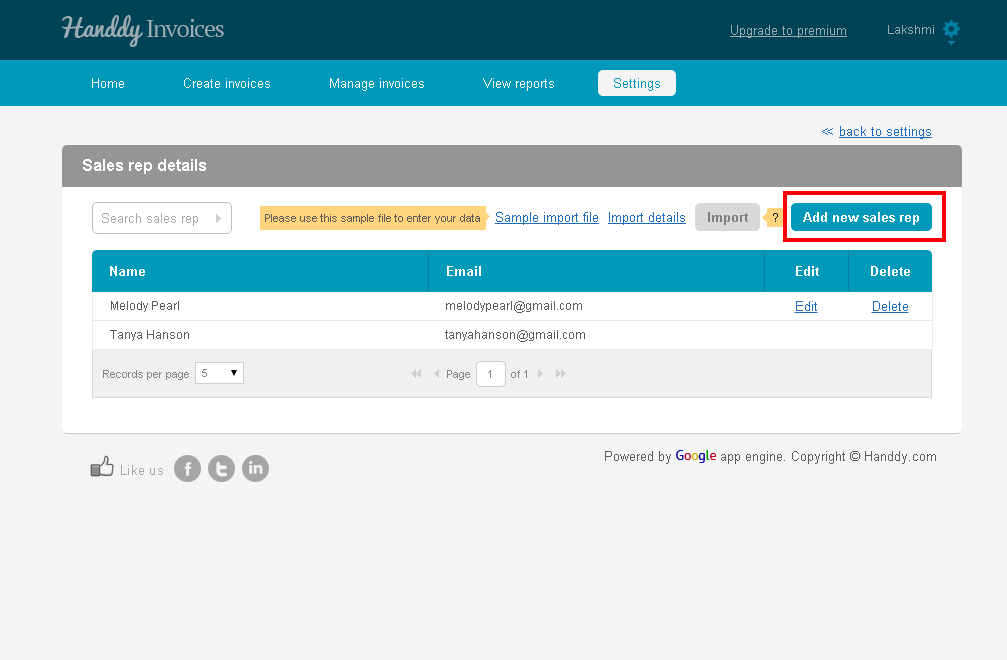
image055


  • Enter first and last name and email in the ‘Add new sales rep’ tab. Click on ‘Save’
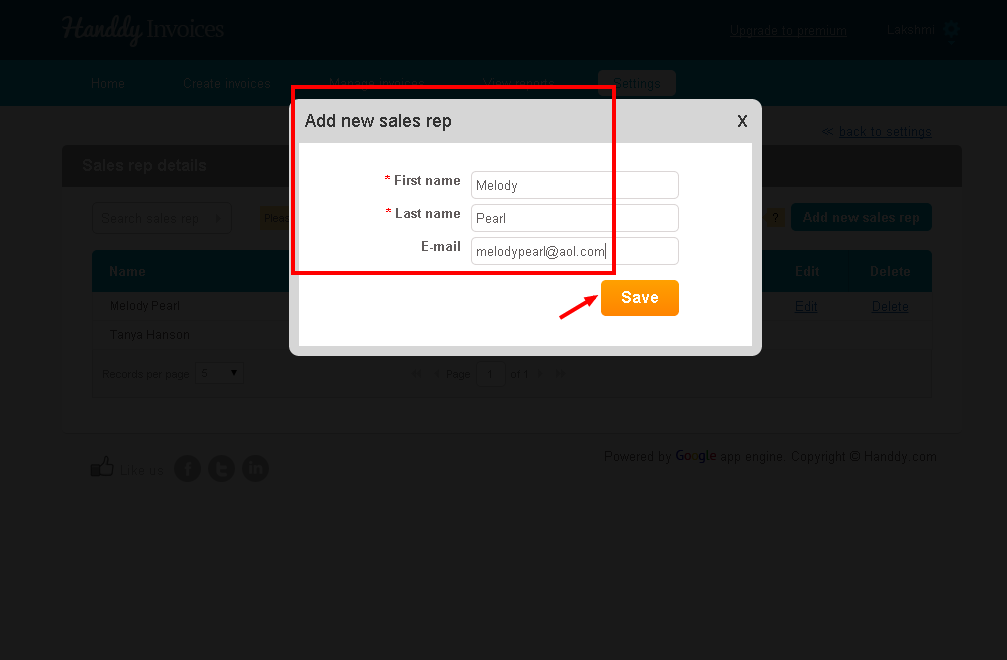
image057


←How do I add a new payment term name?
How do I change the language in which the invoice is created?→

Recent Posts

  • What is tax over tax? How to create this and how will it be displayed in my invoice?
  • What is payment tax. How do I create, edit and delete this tax?
  • Is it possible to edit taxes if they are used in an invoice ?
  • Is it possible to delete taxes if it is used in an invoice?
  • When and how can I use group tax? How to create, edit and delete a group tax? How will it appear in the invoice?

Categories

  • Creating an invoice
  • Manage Invoices
  • Payments
  • Reports
  • Settings
  • What's more on support

Need more help? Email us and we will reply back

© 2026 Handdy Timesheets. All rights reserved