Skip to the content
How do I update payments for multiple invoices?
716 views
- Go to ‘Manage invoices >> ‘Invoice actions’ >> ‘Update invoice payments’.
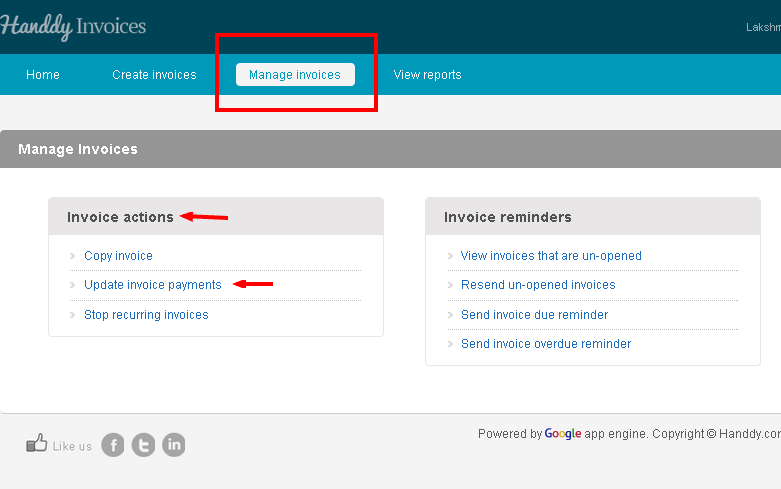
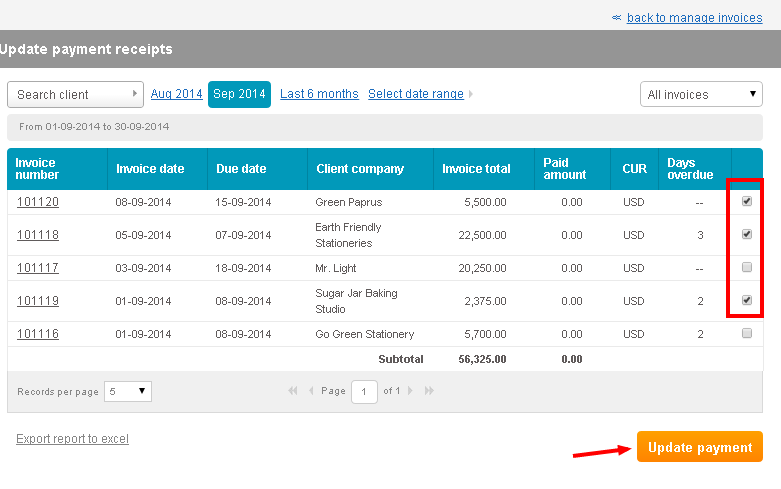
- The list of invoices that you have created will be displayed
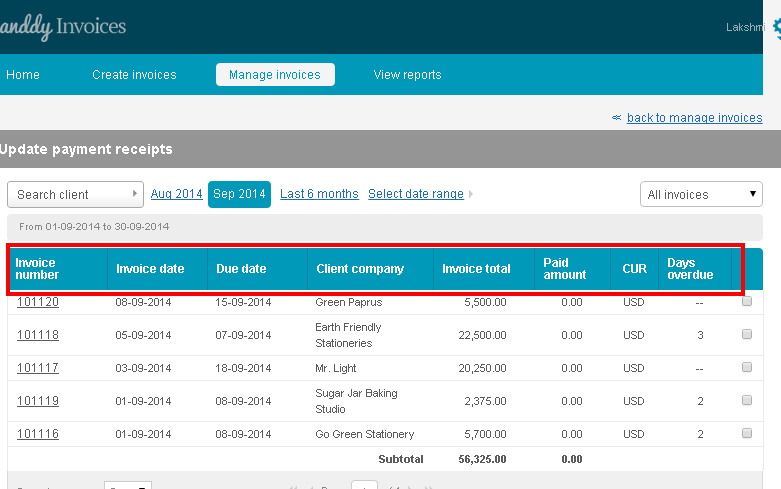
- You can view invoice number. Invoice date, due date, client company, invoice total, paid amount, currency and days overdue for each invoice
- The last column of the invoice enables you to make multiple selections
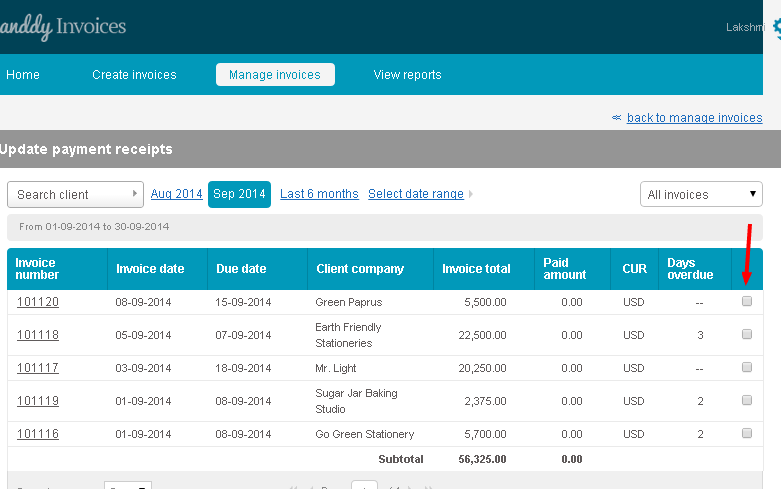
- Use the check box to choose the invoices that you wish to update payment for
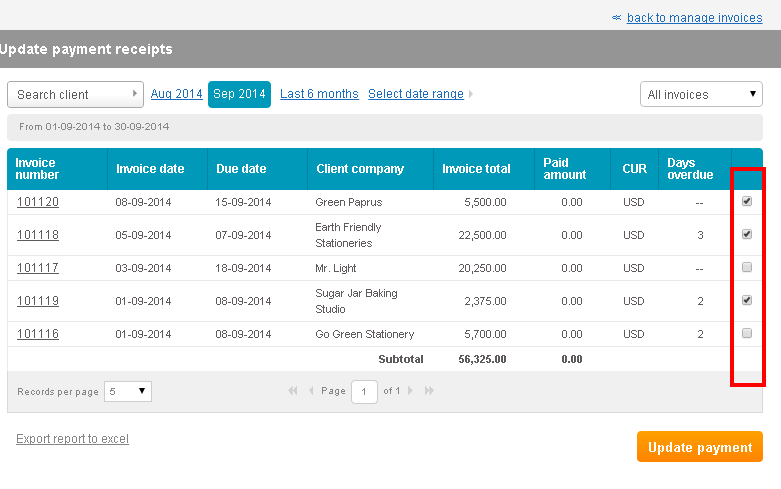
- Click on ‘Update payment’ button
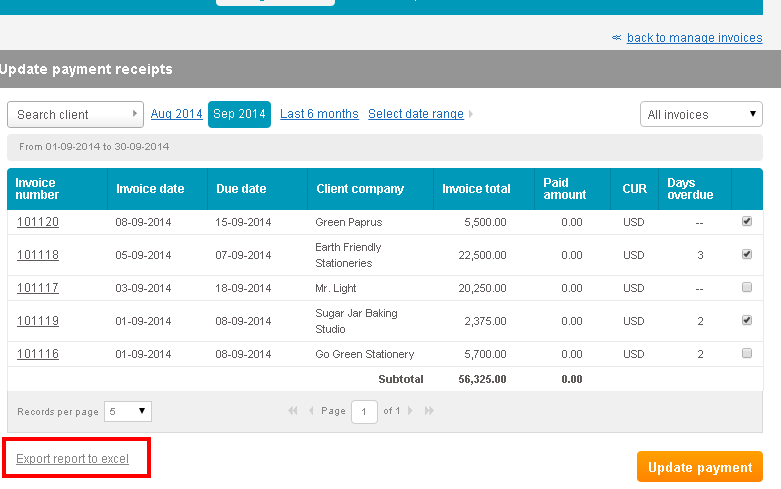
- Click on ‘Export report to excel’ option to export payment receipts report to excel
How do I update payment without tax for single invoice?
400 views
- Go to ‘Manage invoice’ >> ‘Invoice action’ >> ‘Update invoice payments’
- The list of invoices that you have created will be displayed
- The last column enables you to choose the particular invoice
- Click on ‘Update payment’ option
- That particular invoice opens up
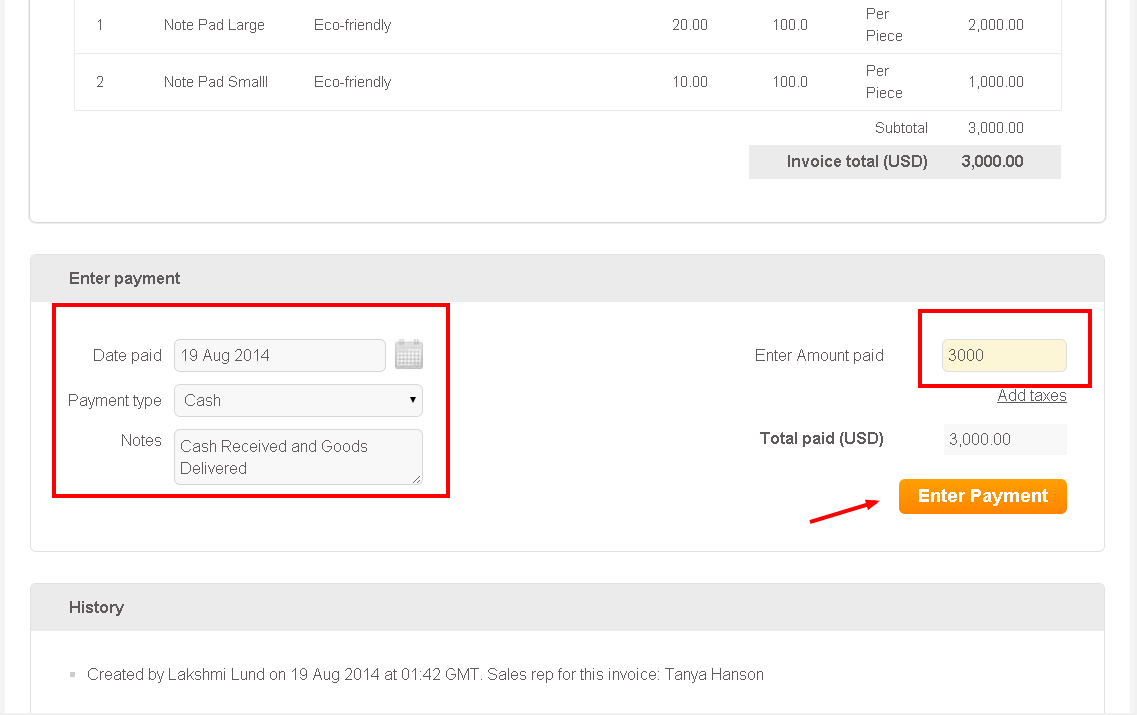
- In the ‘Enter payment’ section you can enter the amount that you received in the ‘Enter amount paid’ tab
- Click on ‘Enter payment’ and the payment that you received will be successfully updated
How do I send invoice overdue reminder?
748 views
- Go to ‘Manage Invoice’ section >> ‘Invoice Reminder’, >> ‘Send invoice overdue reminder option’.
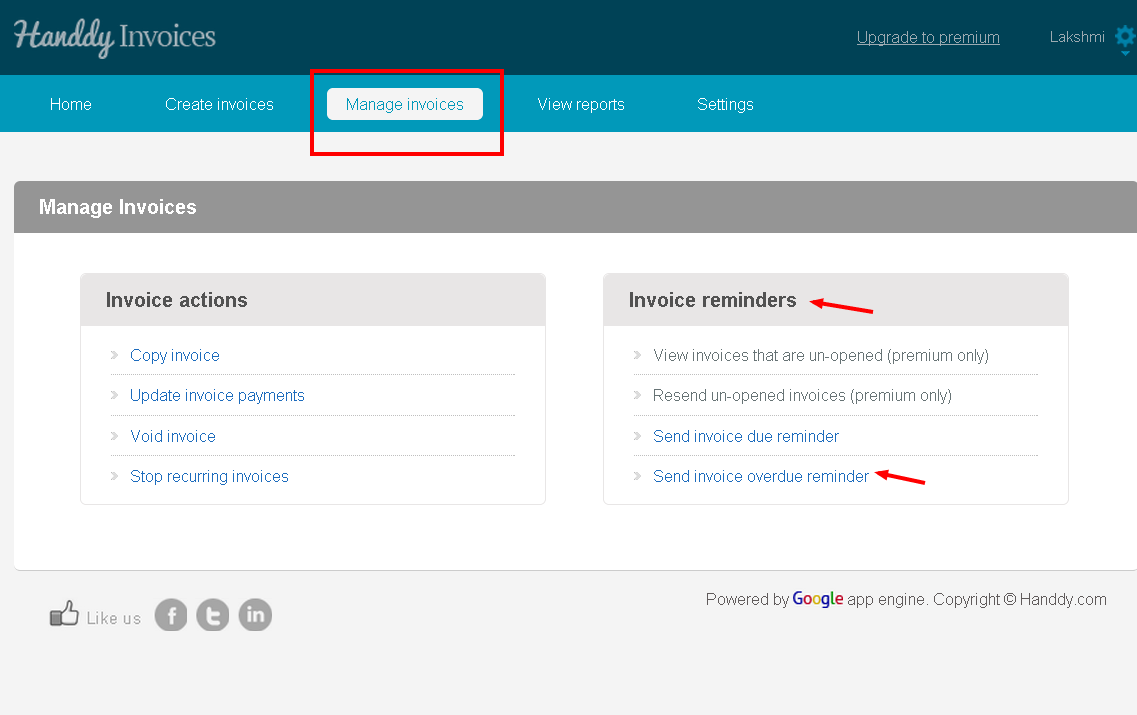
- The list of invoices for which you have to receive payment will be displayed
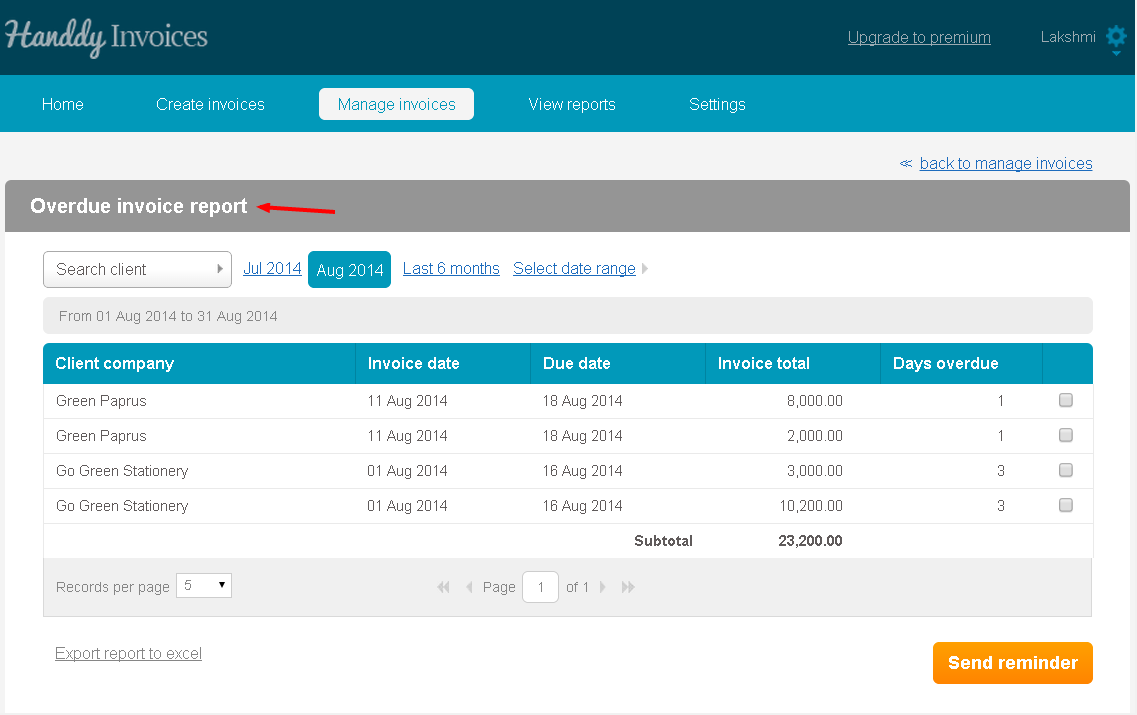
- Invoice date, client company, due date, invoice total and days overdue will be displayed.
- Select the invoices that you wish to send to your customer using the check box
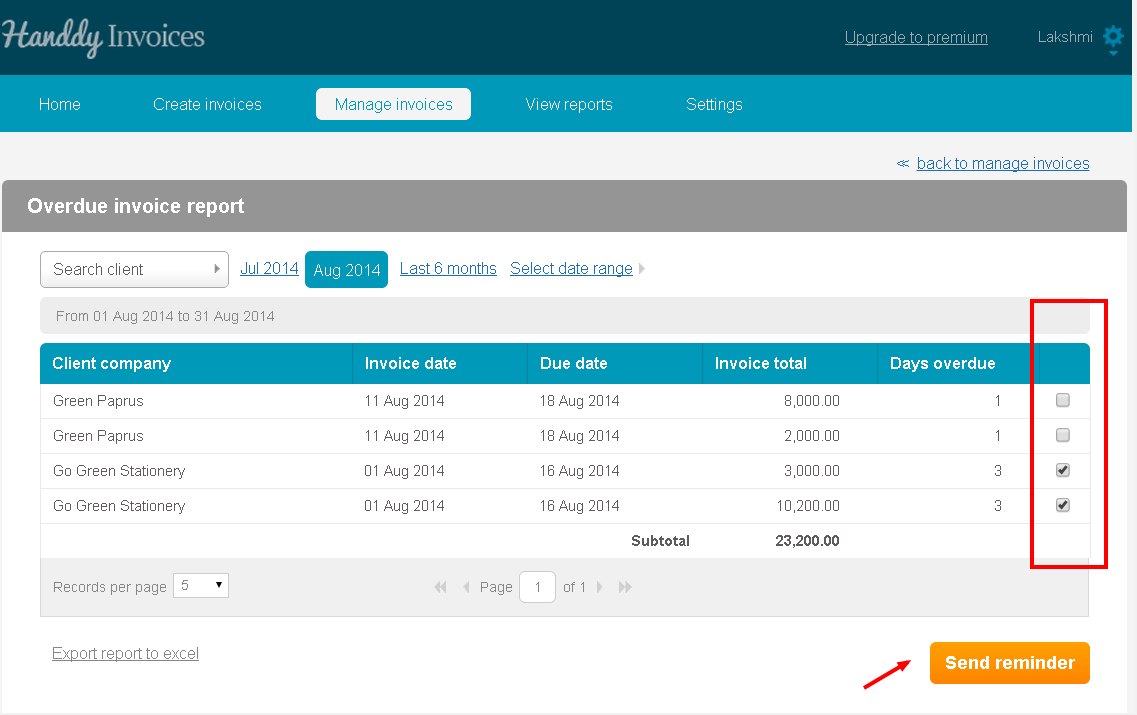
- Then click on ‘Send reminder’ button
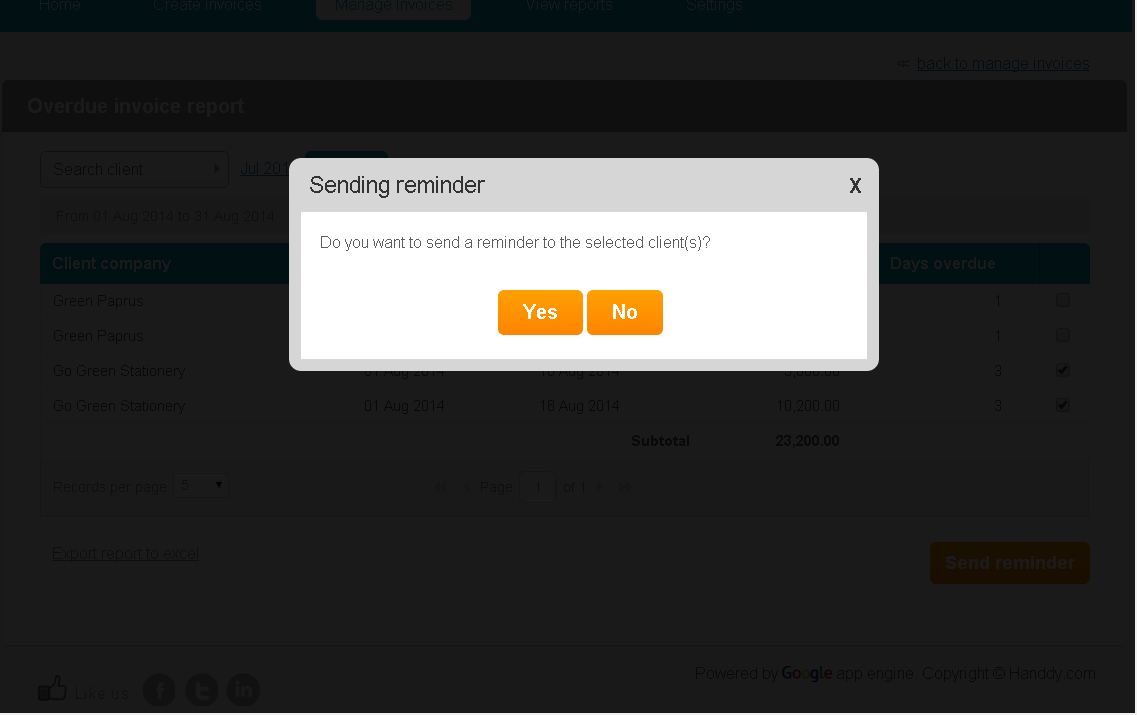
- A dialogue box opens up asking if you wish to send a reminder to your customer. Click on ‘Yes’.
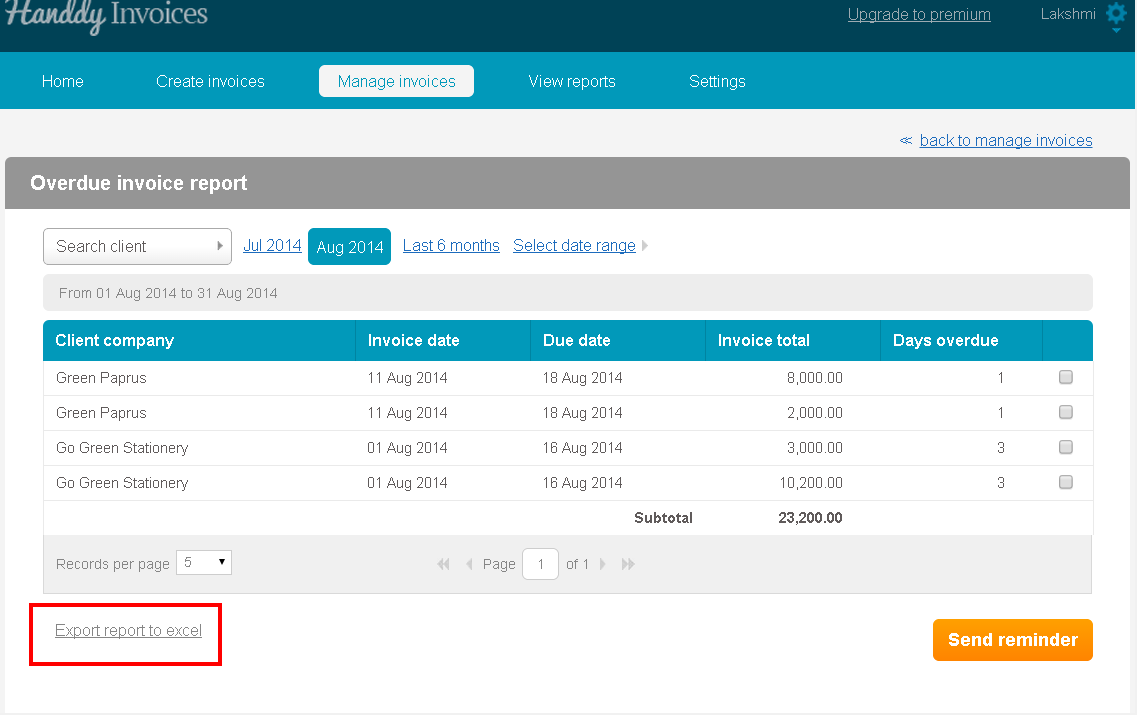
- Click on ‘Export report to excel option’ to export this report on Excel
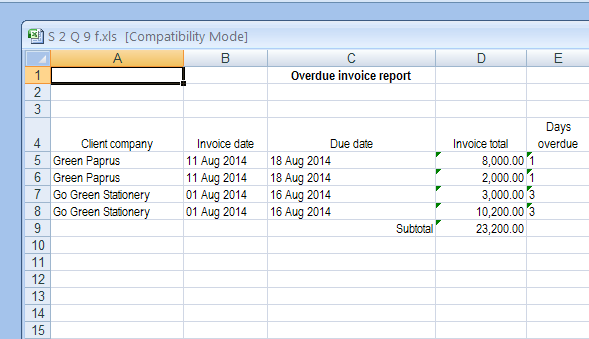
- This is how the report will look like on Excel
How do I send invoice due reminder?
398 views
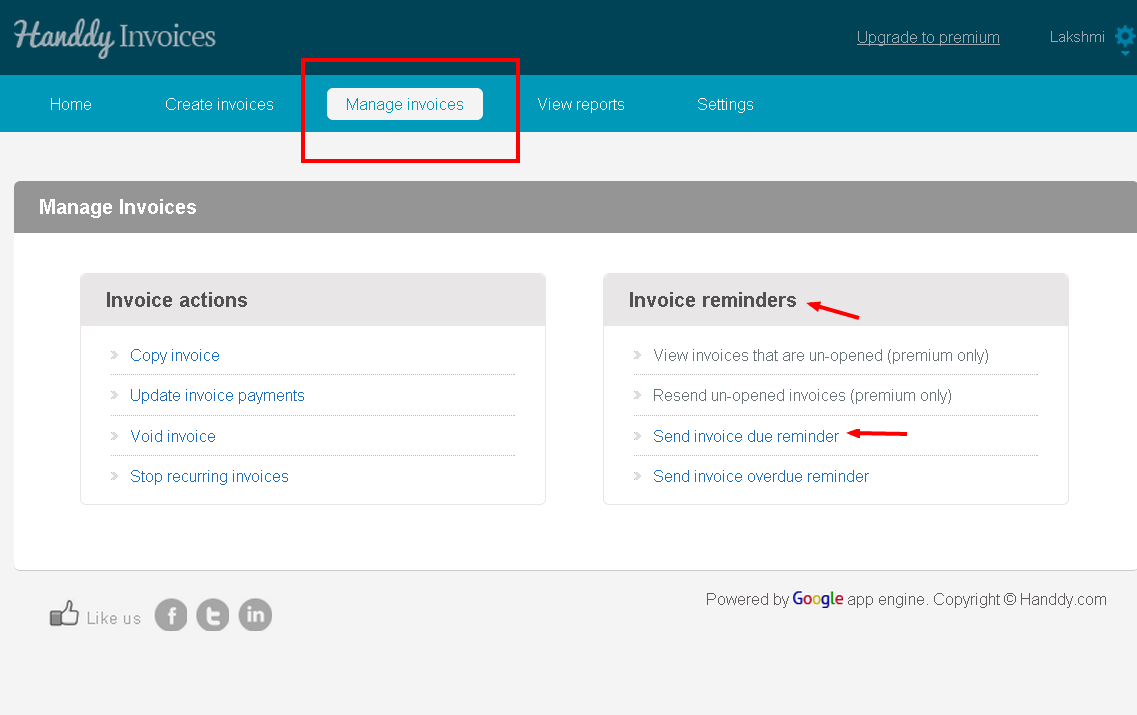
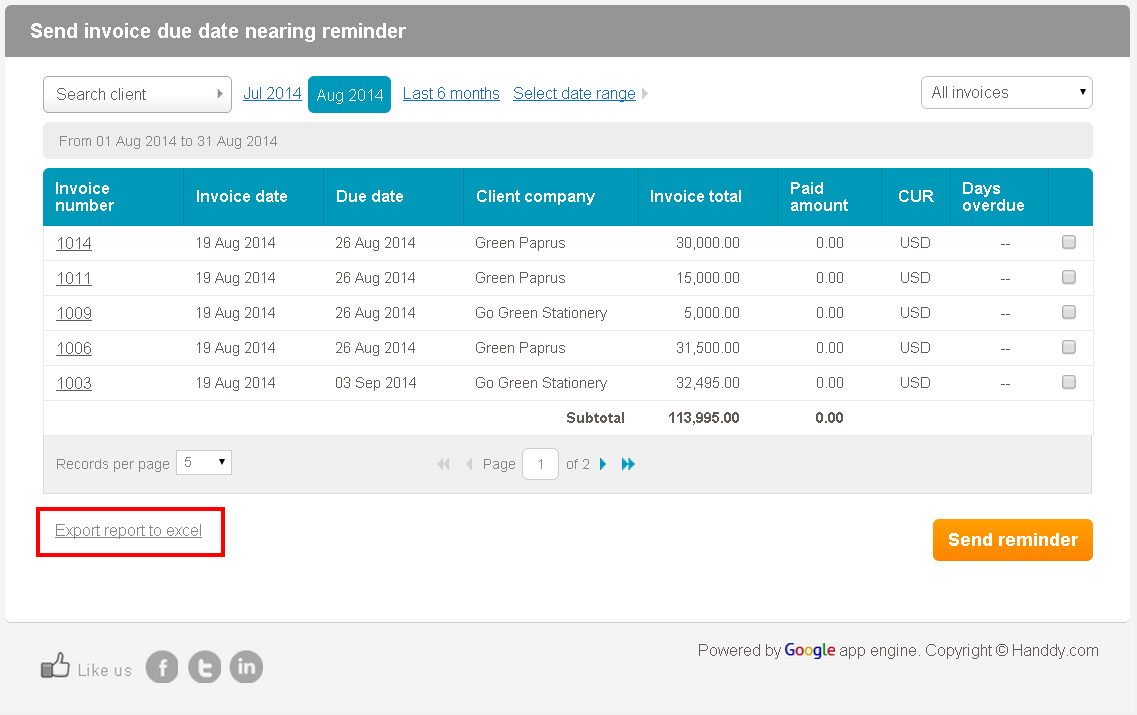
- Go to ‘Manage Invoice’ >> ‘Invoice Reminders’, >> ‘Send invoice due reminder option’.
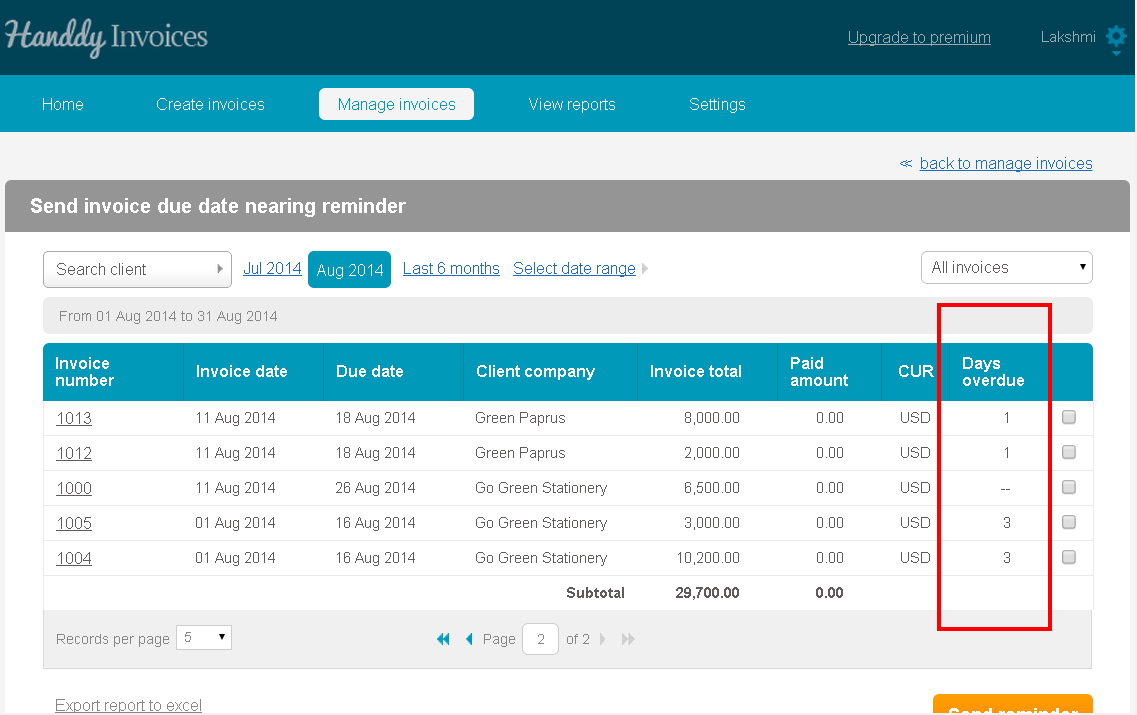
- The list of invoices for which you have to receive payment will be displayed
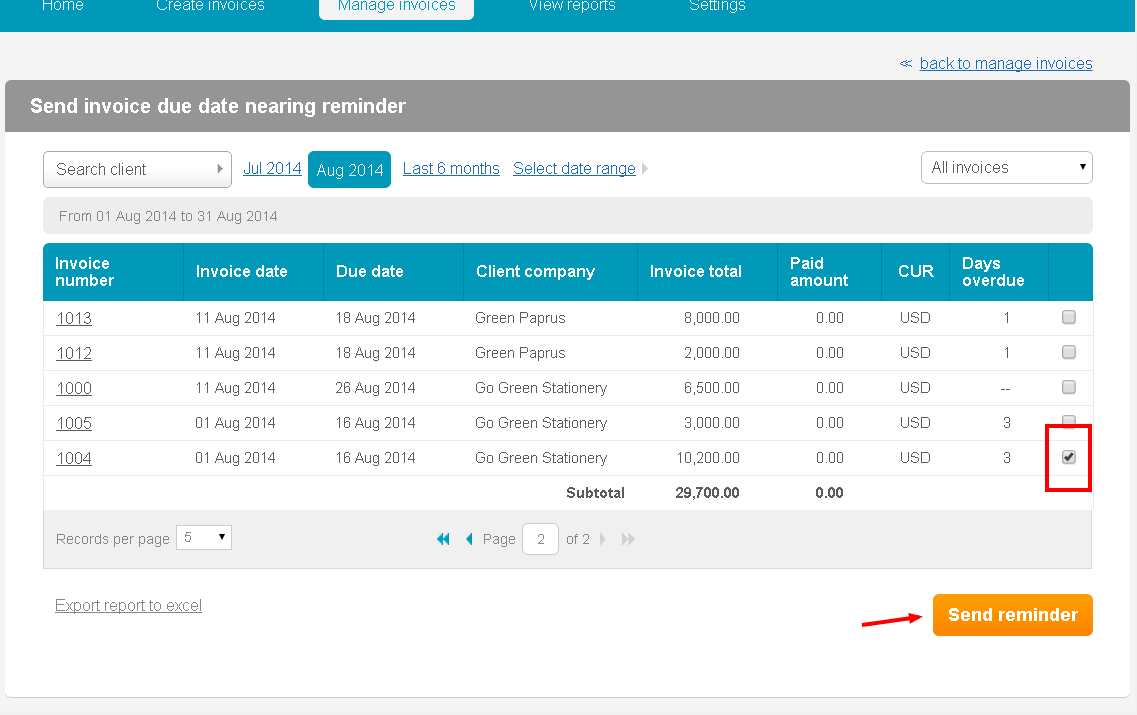
- Select the invoices that you wish to send to your customers using the check box
- Then click on ‘Send reminder’ button
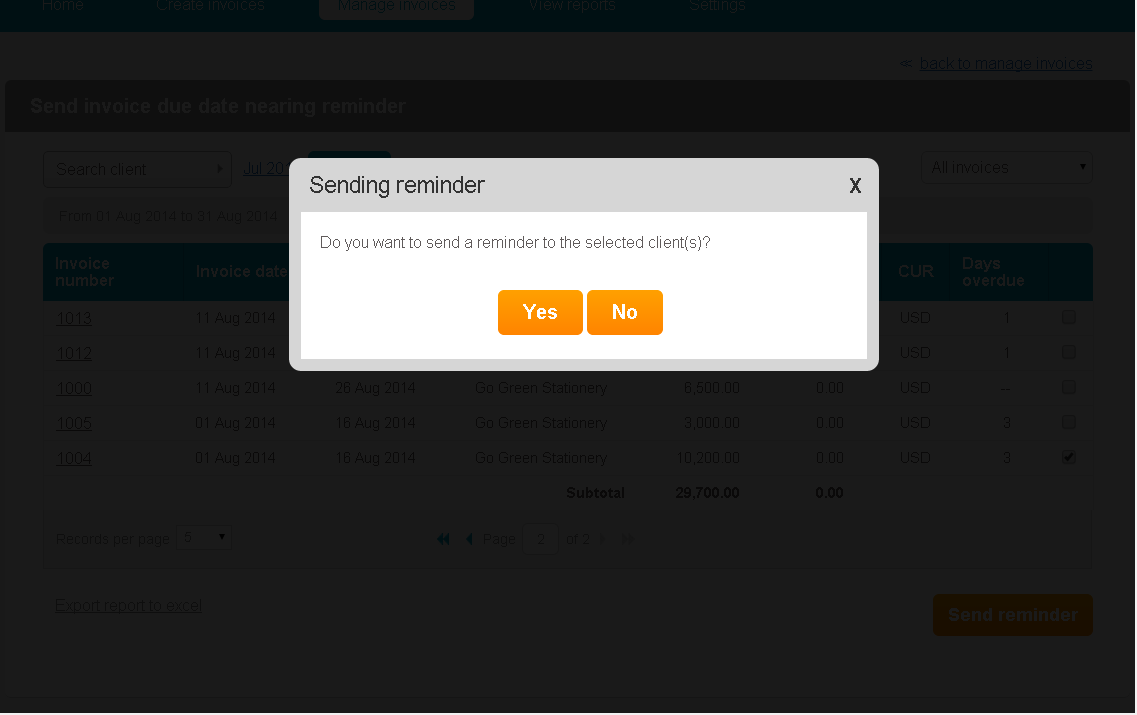
- A dialogue box asking if you want to send a reminder to your customer opens up. Select ‘Yes’ Option.
- Choose ‘Export report to Excel’ option to export report on Excel
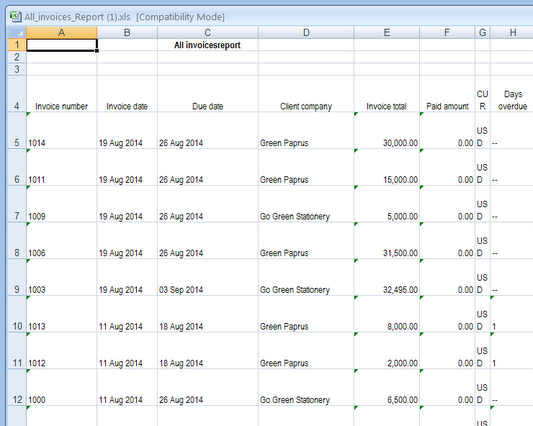
- This is how your report will look like on Excel
How do I resend unopened invoices to customers?
461 views
- Go to ‘Manage Invoice’ section >> ‘Invoice Reminders’, >> ‘View invoices that are un-opened’.
- The list of invoices that you have created will be displayed
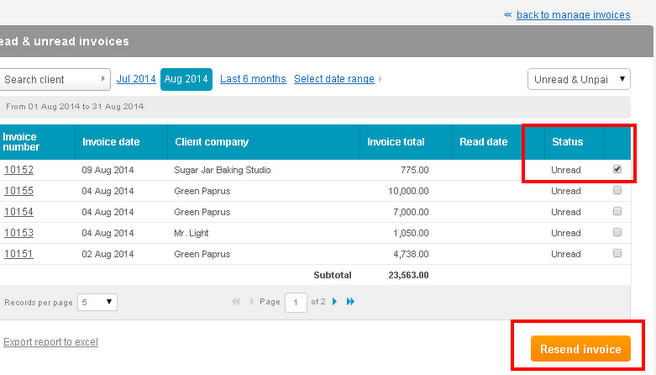
- Along with invoice date, invoice total and client company, the status of the invoice will be displayed.
- If you wish to resend a particular invoice to your client, click on the ‘Unread’ option next to that invoice
- Then click on ‘Resend Invoice’, button
- A dialogue box asking if you wish to resend the invoice opens up
- Click on ‘Yes’ option
- The particular invoice will be resent to your customer
How do I view invoices that are un-opened by my customers?
383 views
- Go to ‘Manage Invoice’ >> ‘Invoice Reminders’, >> ‘View invoices that are un-opened’.
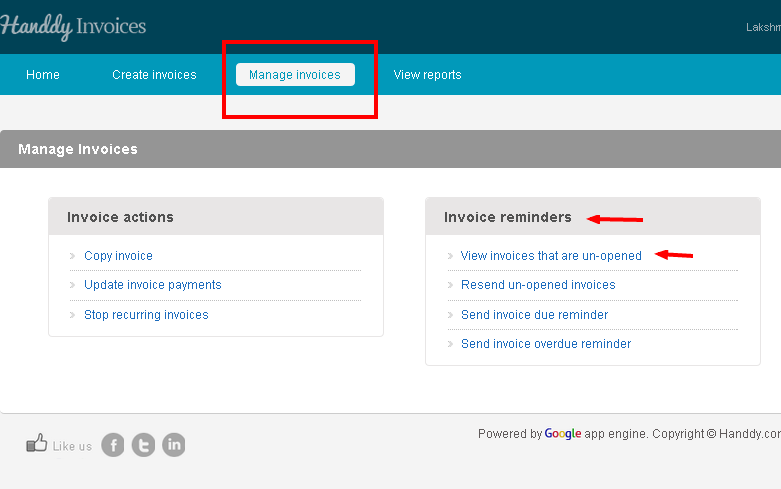
- The list of invoices that you have created will be displayed
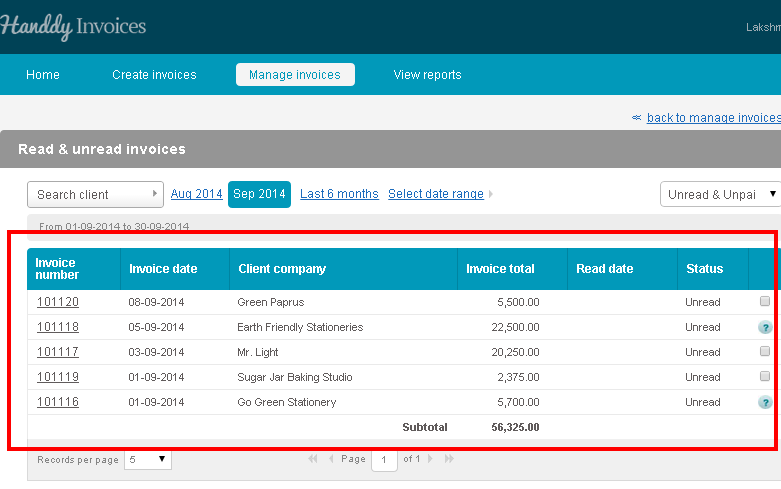
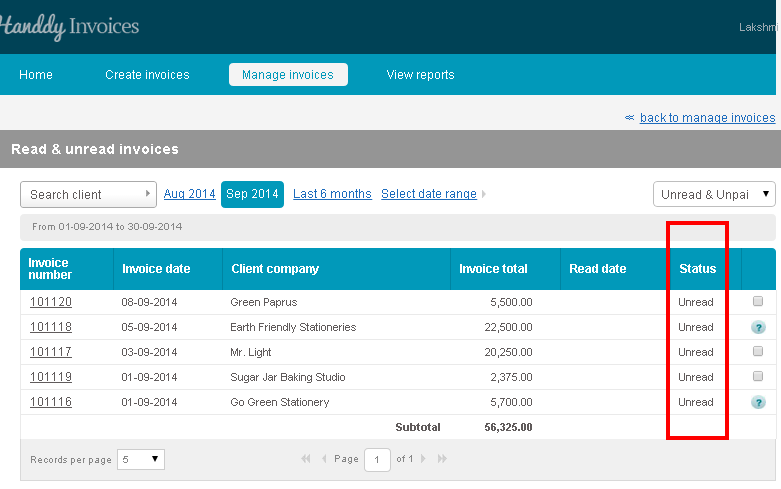
- Along with invoice date, invoice total and client’s company, the status of the invoice will be displayed.
- If your customer has read your invoice, it will be displayed under the ‘Read date’ section. Else it will be marked as ‘Unread’.
How can I void an invoice?
508 views
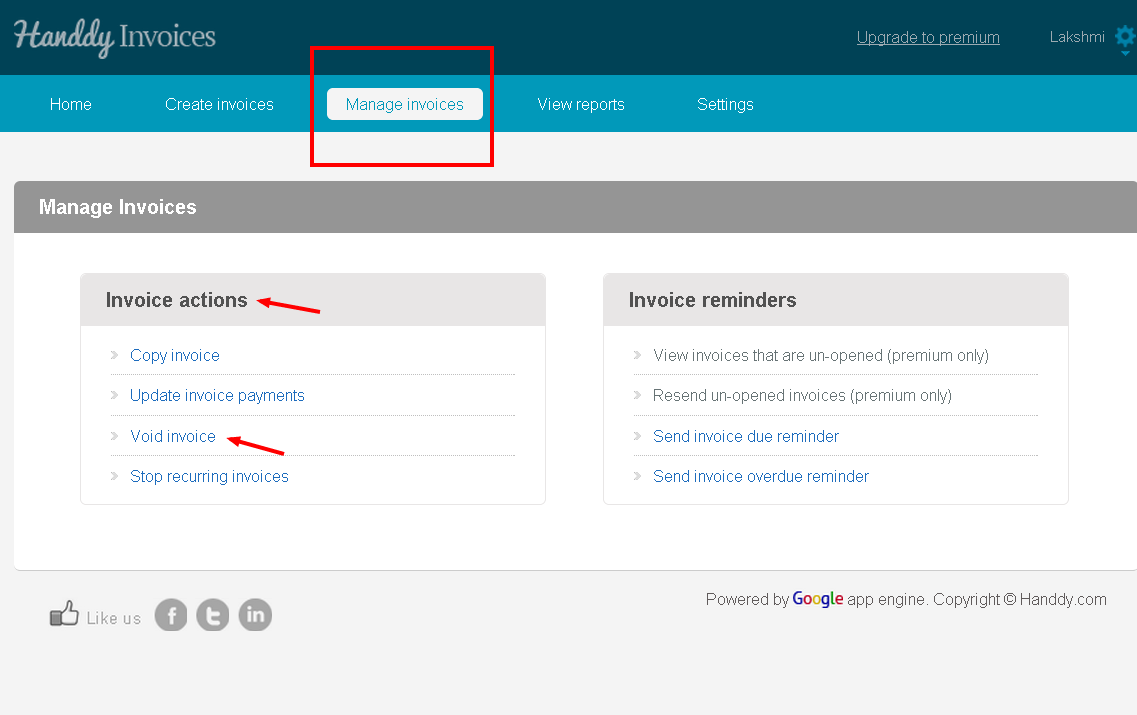
- Go to ‘Manage Invoice’, >> ‘Invoice Action’, >> ‘Void Invoice’.
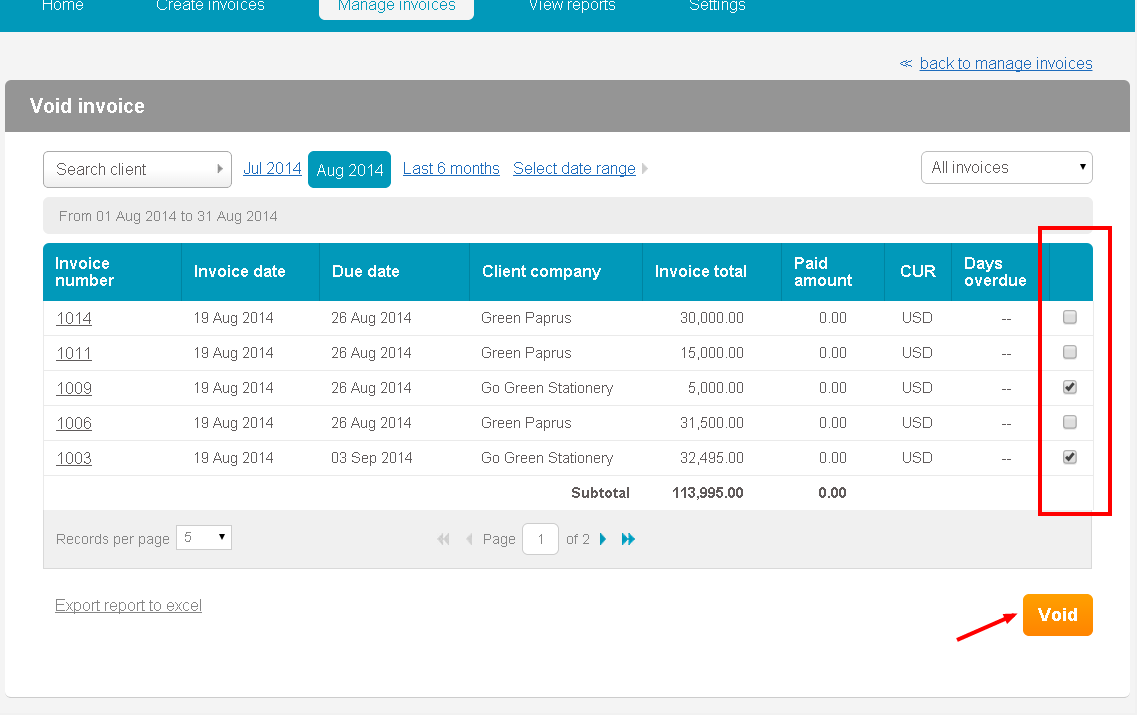
- List of invoices that you created will be displayed
- From the list select the invoices that you wish to void
- Click ‘Void’ button
- A dialogue box opens up asking if you wish to permanently remove the selected invoice from Handdy Invoices
- Click on ‘Yes’ option
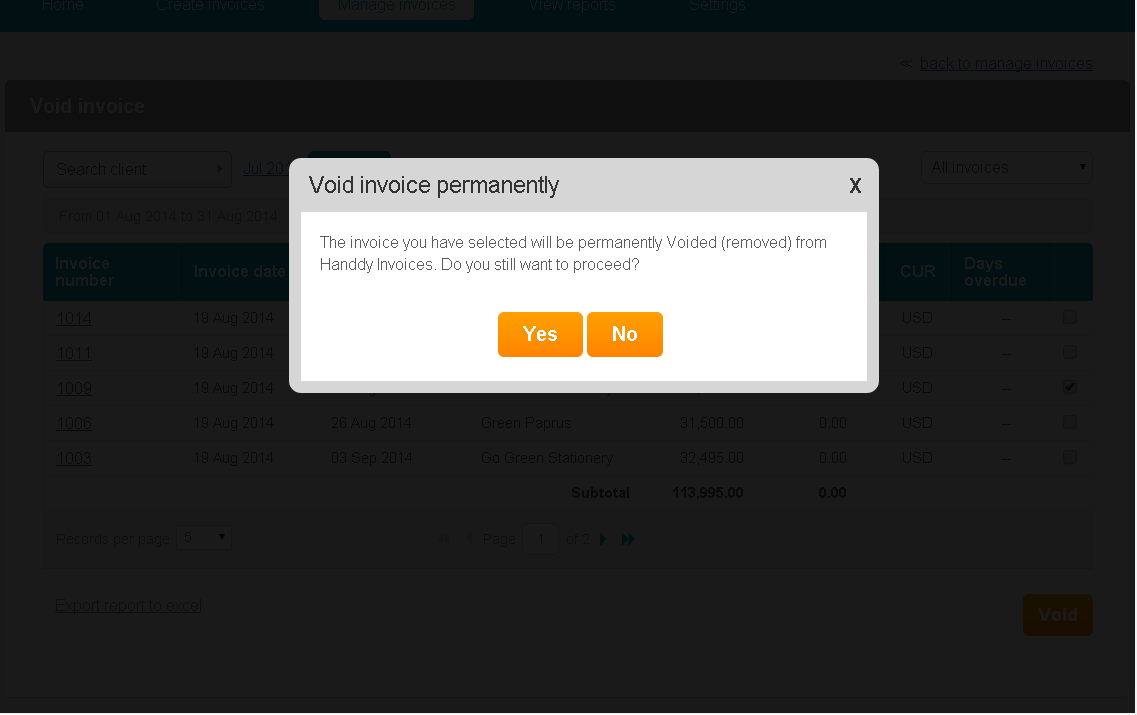
- You will get a message saying that your invoice has been successfully voided.
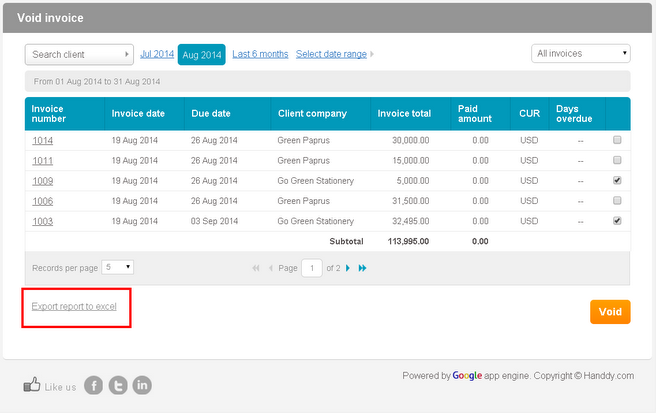
- By clicking on ‘Export report to excel’ option, you can export this report on Excel.
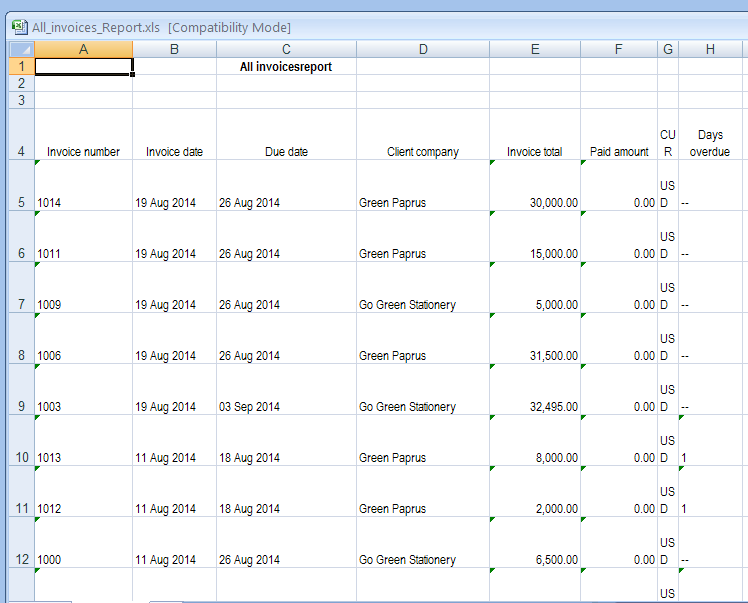
- This is how your report will look like on Excel
How do I update invoice payment?
784 views
- Go to ‘Manage Invoice’ >> ‘Invoice Action’, >> ‘Update Invoice Payment’.
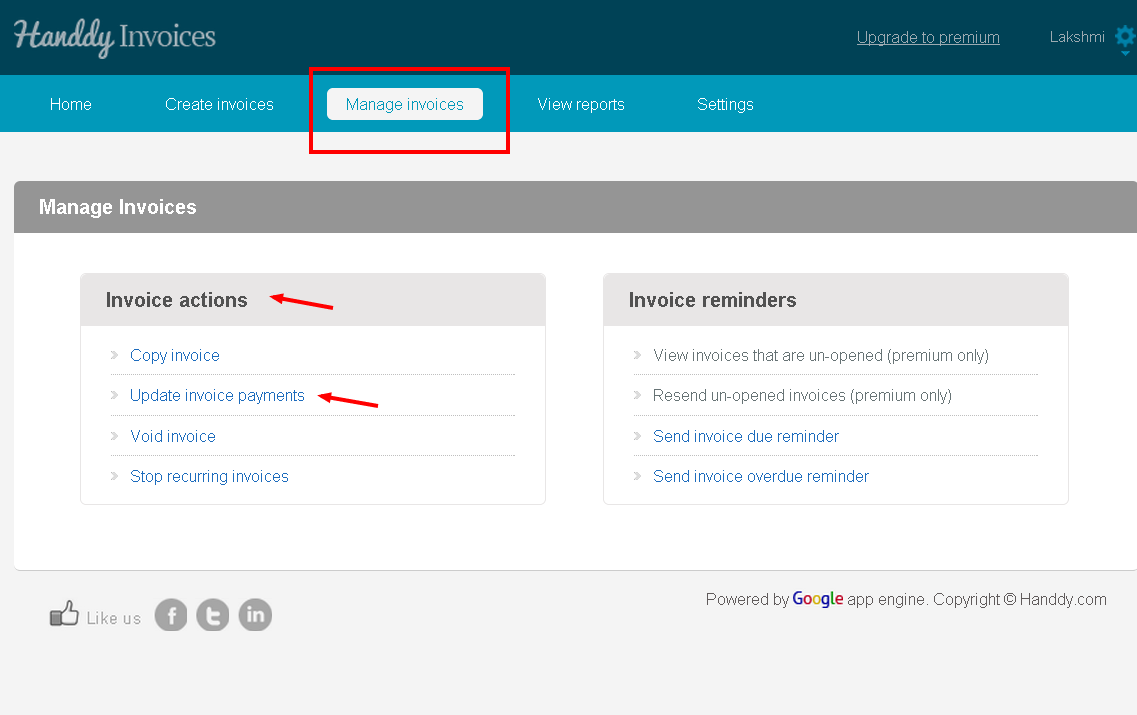
- List of invoices that you created will be displayed
- From the list select the invoices that you wish to update payment for
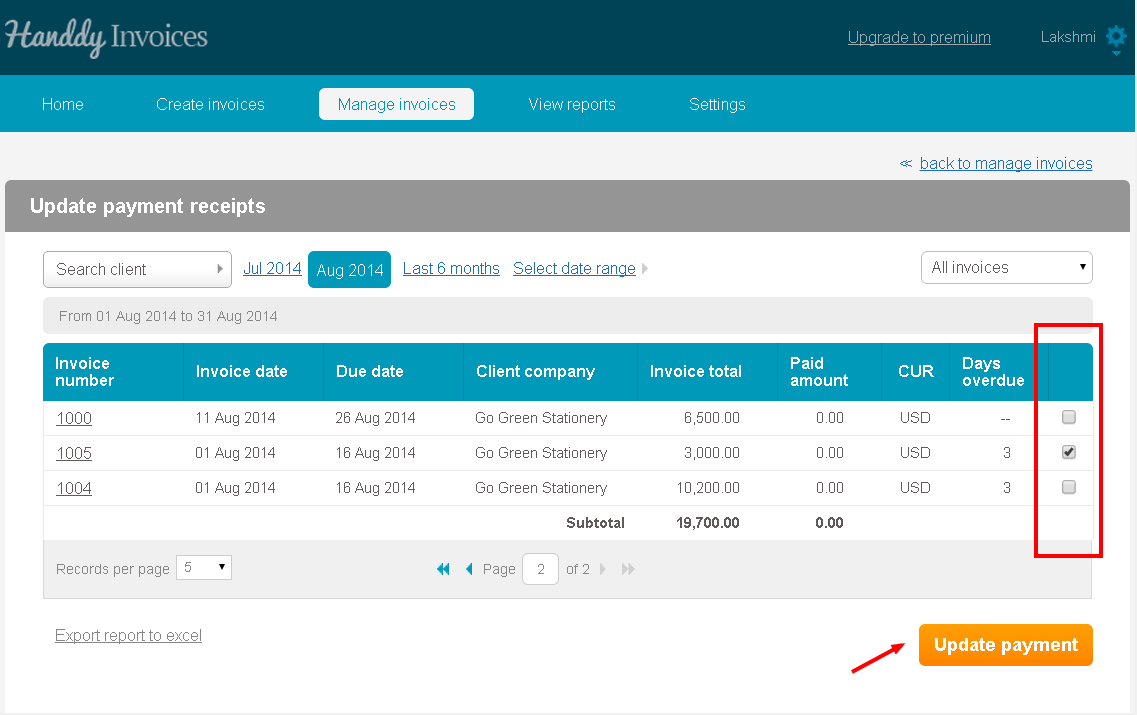
- Click ‘Update Payment’ option
- The ‘Enter Payment’ section in the invoice allows you to enter the amount, payment date, mode of payment and notes.
- Click on ‘Enter Payment’ tab
How do I copy an invoice?
665 views
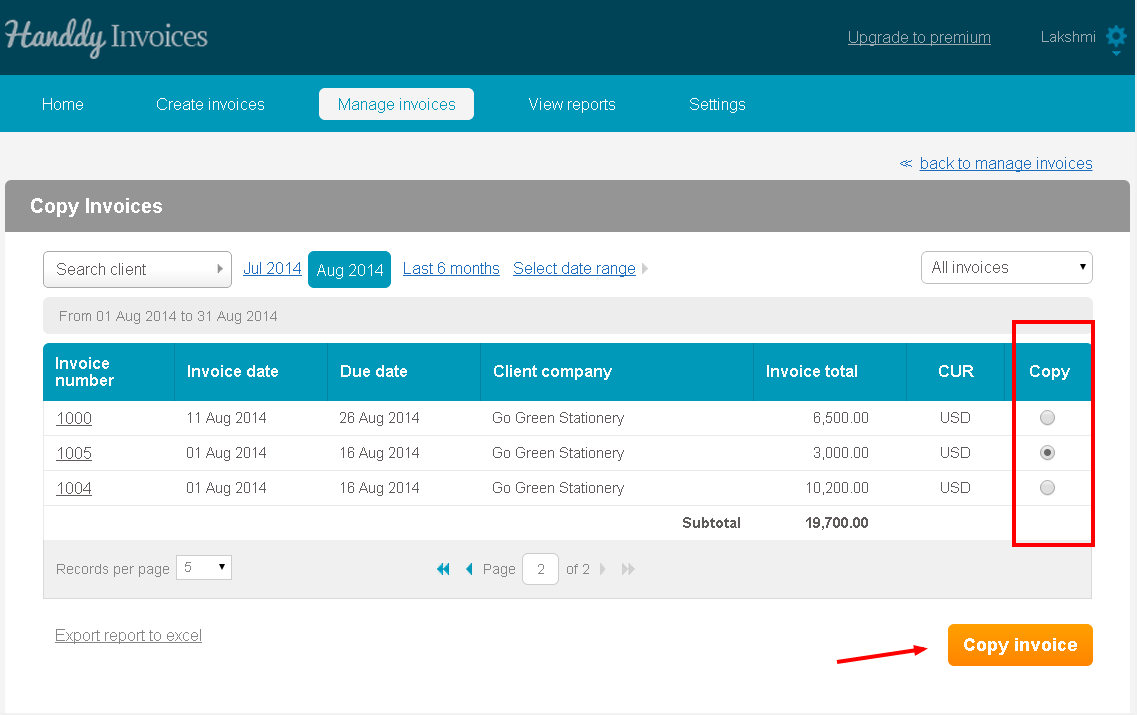
- Go to Manage Invoice >> Invoice action >> Copy Invoice
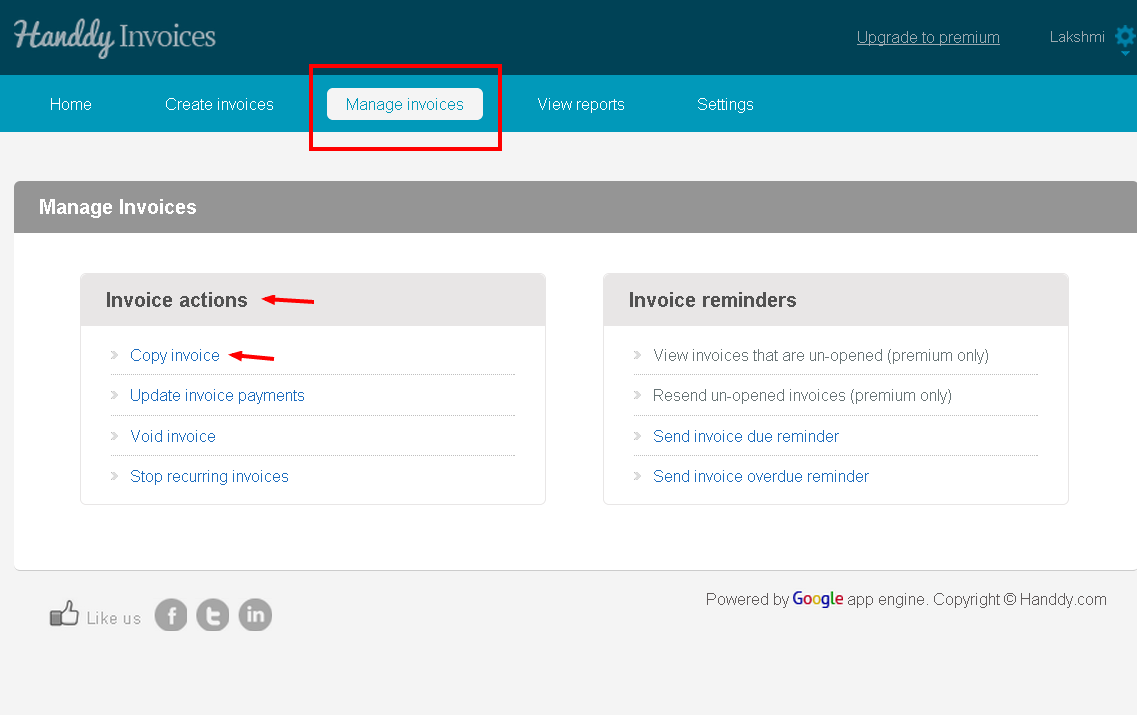
- List of invoices that you created will be displayed
- You can view invoices through time period option or ‘Search client’ option
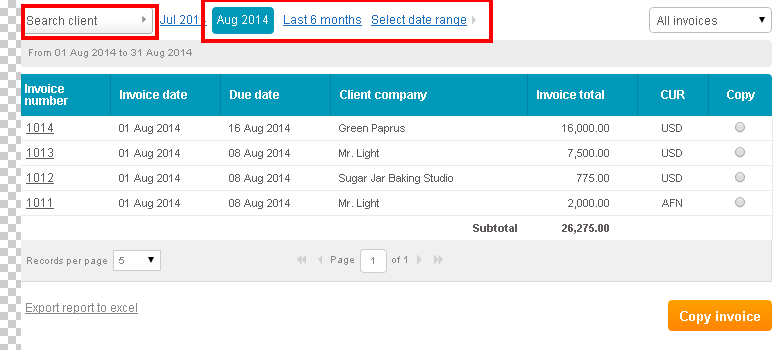
- In the ‘Copy’ section, select the particular invoice that you wish to copy. Then select ‘Copy Invoice’ button
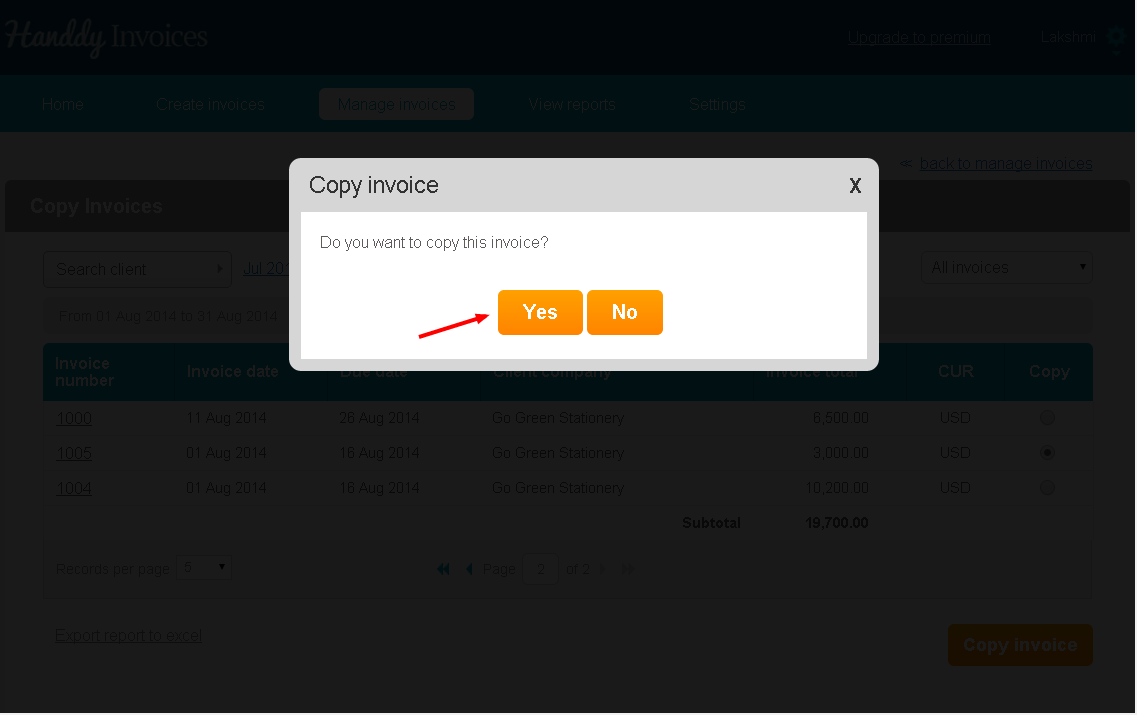
- You will see a message asking if you wish to copy that invoice. Click ‘Yes’ option
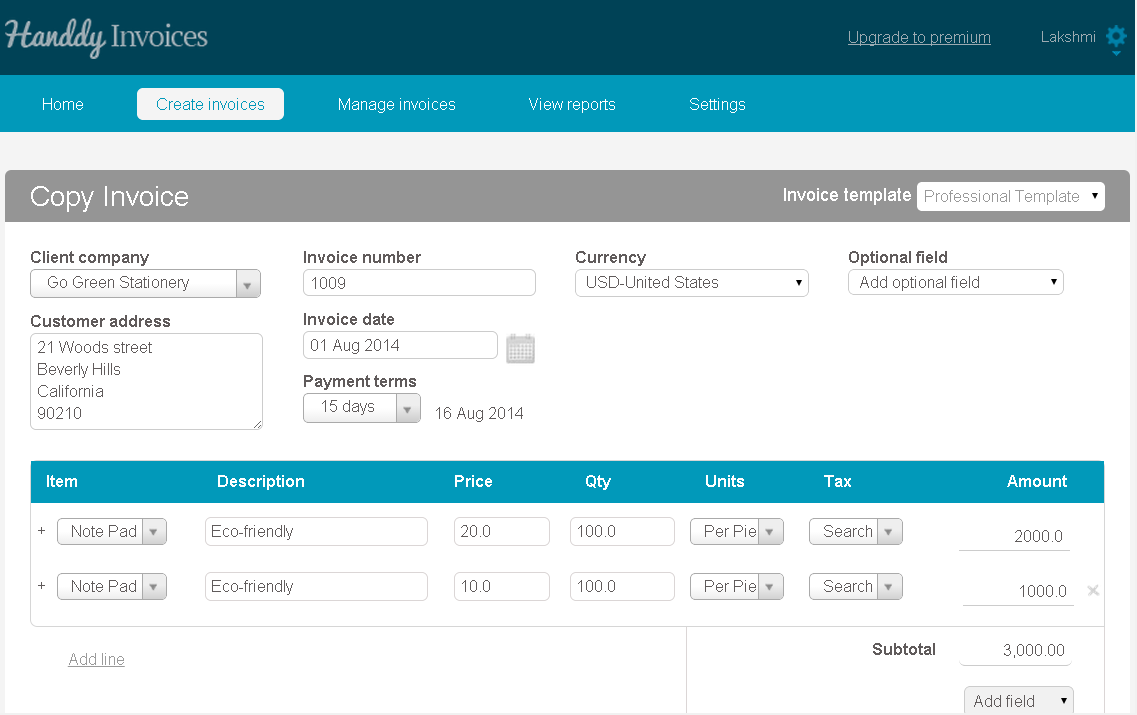
- The invoice that you have selected is copied with a new invoice number
- You can make any changes necessary and send this new invoice
How to add tax for each line item?
405 views
- Select create invoice
- Enter the line item description
- Select the tax from the drop down menu
- If you don’t have a tax
- Add new tax
- Enter tax name and percentage and select it
- It will show up below the Subtotal