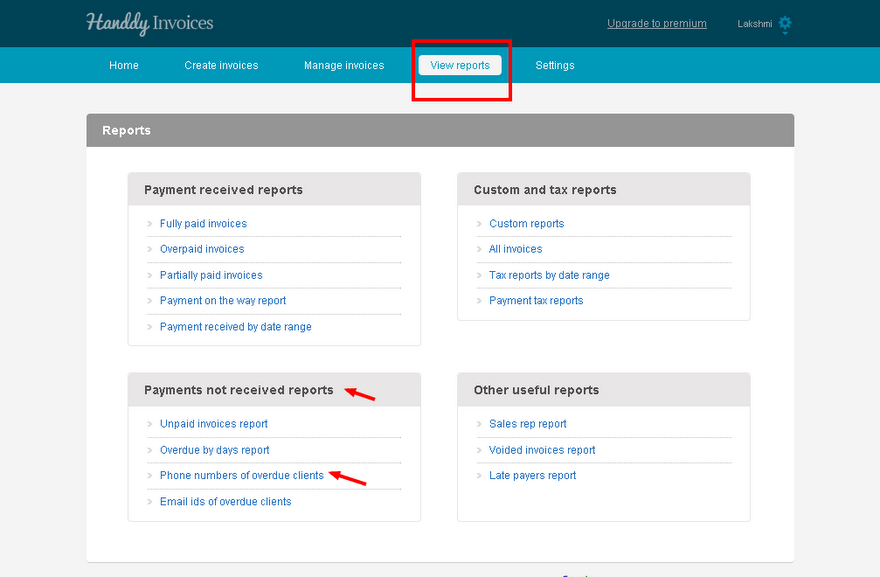
- In ‘View reports’, section under ‘Payments not received reports’ choose ‘Phone numbers of overdue clients’
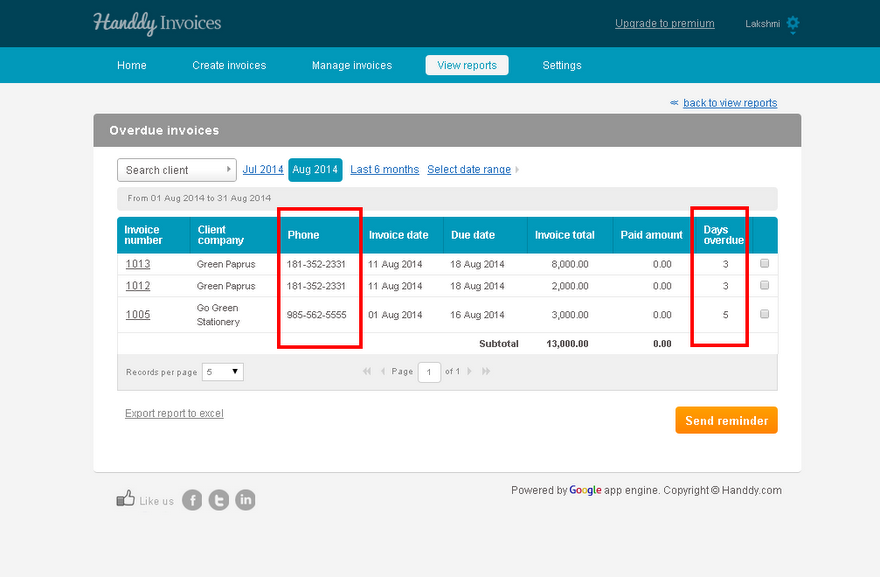
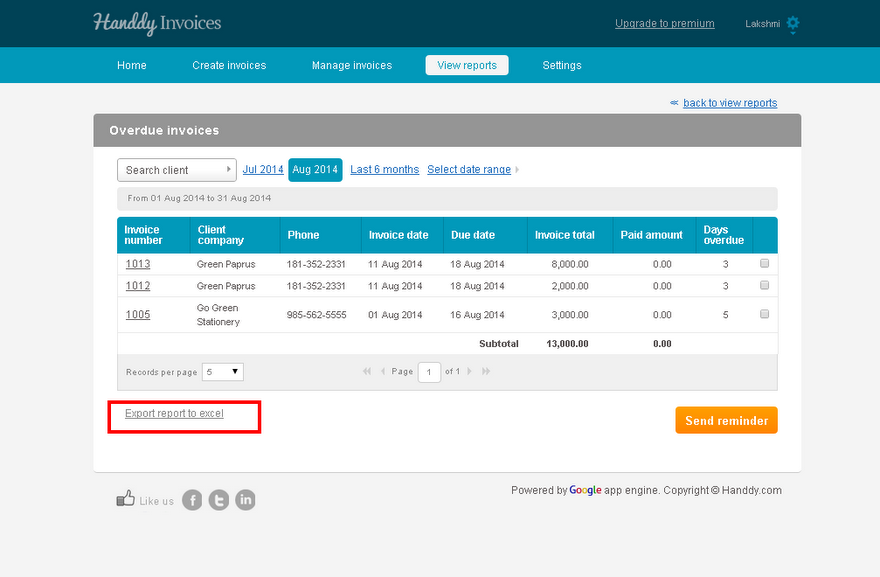
- List of your customers who have not made payment will be displayed along with information like ‘Invoice number’, ‘Client/company’, ‘Phone’, ‘Invoice date’, ‘Due date’, ‘Invoice total’. ‘Payment amount’ and ‘Days overdue’.
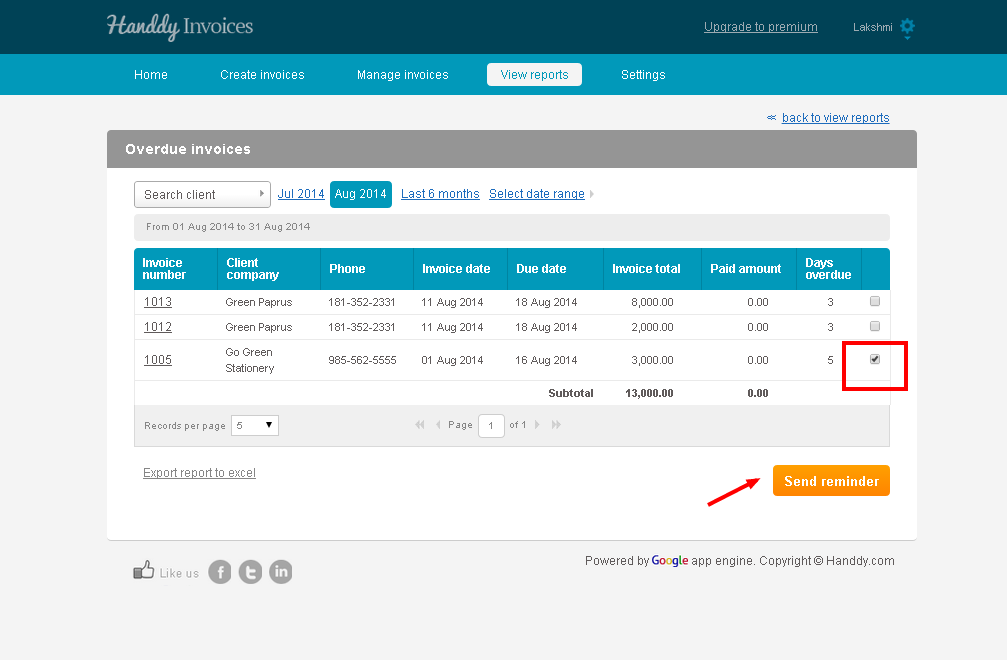
- You can send a reminder to your customers to make payment by using the ‘Send reminder’ option.
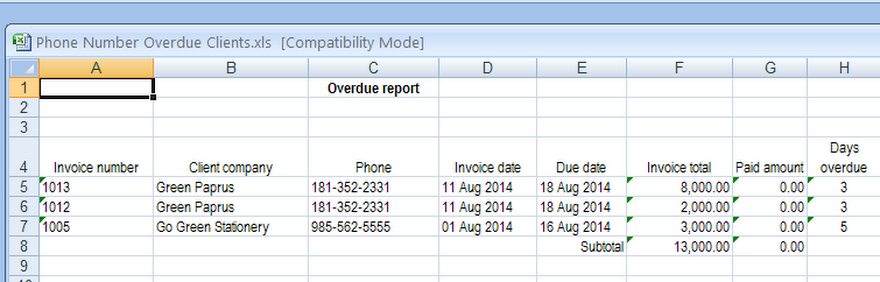
- Select ‘Export report to excel’ option to create, view and save a copy of the report in excel.
- This is what your report will look like in excel.