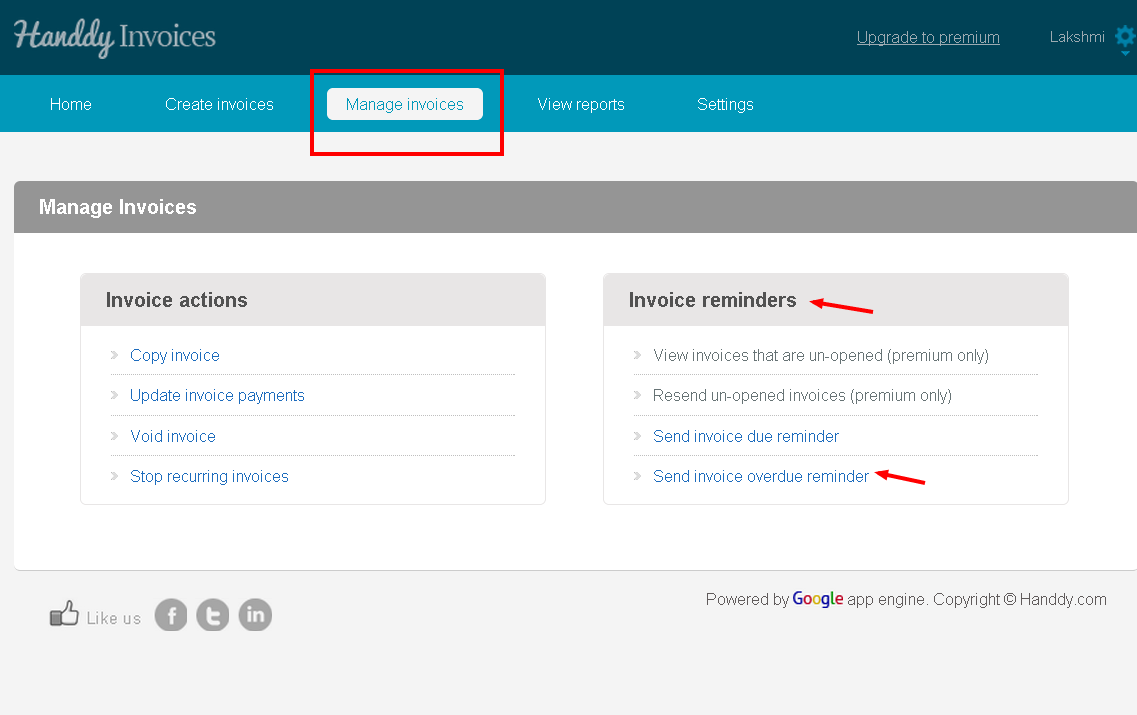
- Go to ‘Manage Invoice’ section >> ‘Invoice Reminder’, >> ‘Send invoice overdue reminder option’.
- The list of invoices for which you have to receive payment will be displayed
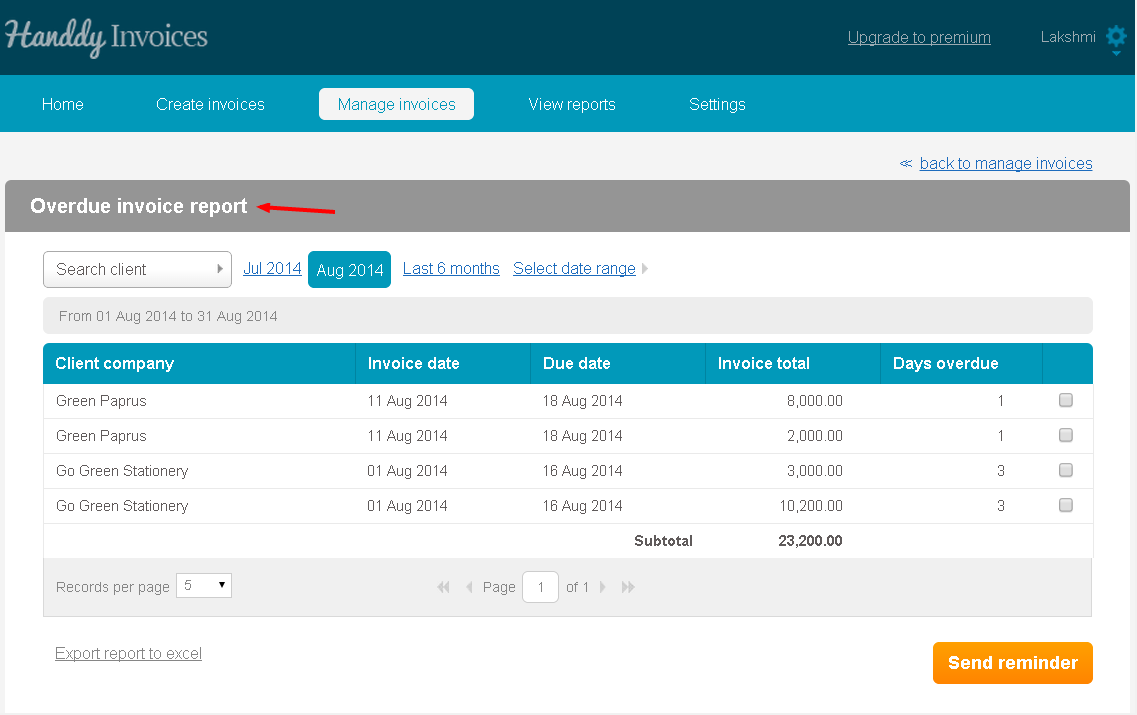
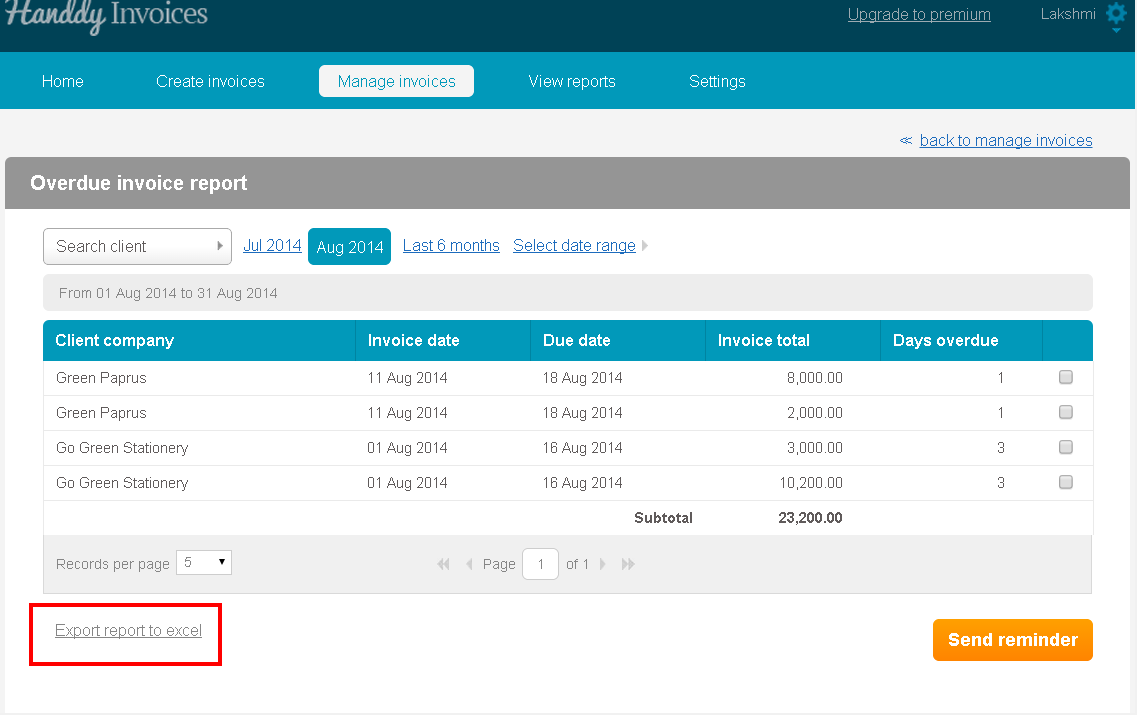
- Invoice date, client company, due date, invoice total and days overdue will be displayed.
- Select the invoices that you wish to send to your customer using the check box
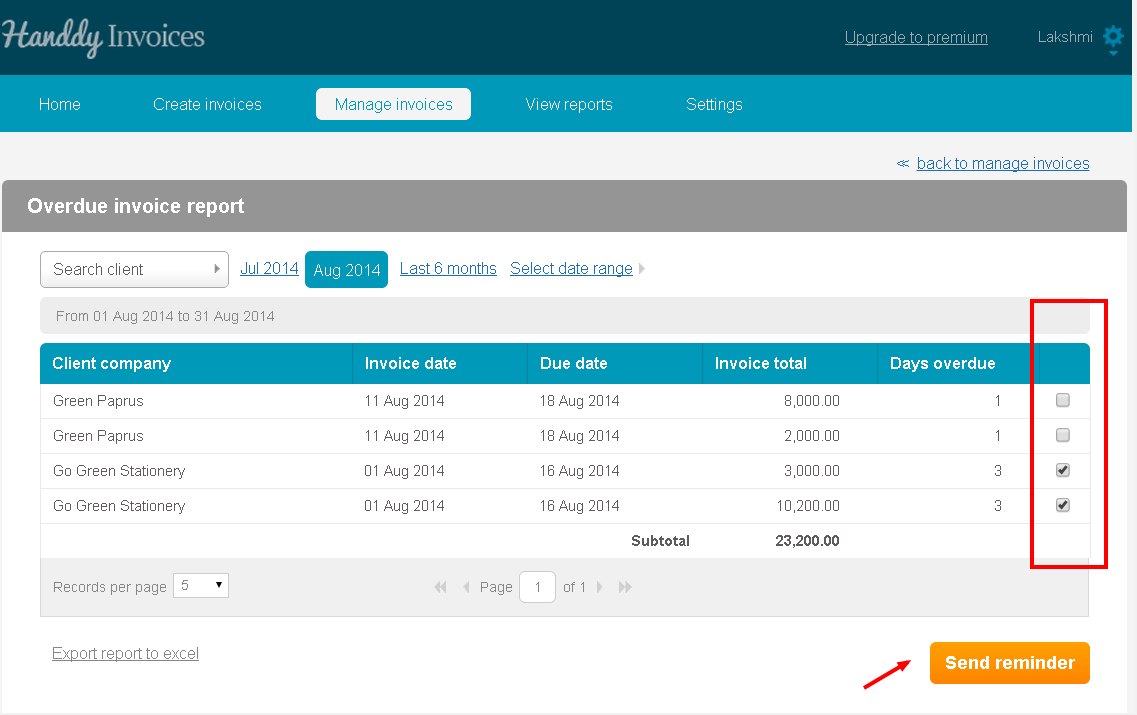
- Then click on ‘Send reminder’ button
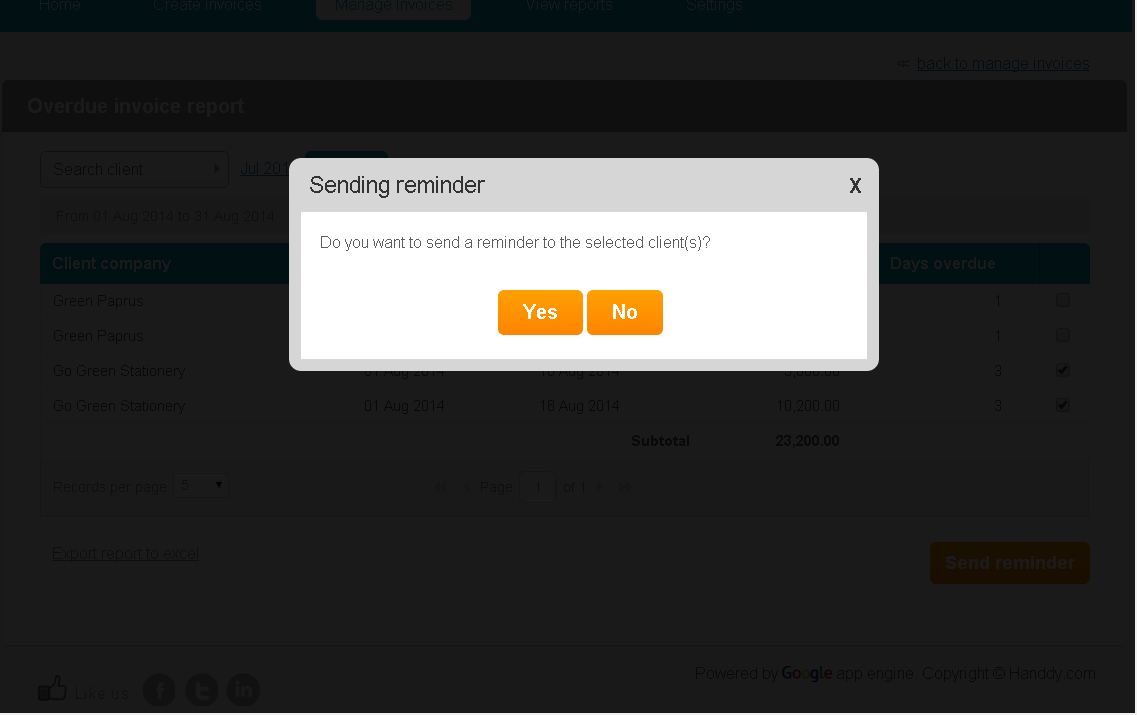
- A dialogue box opens up asking if you wish to send a reminder to your customer. Click on ‘Yes’.
- Click on ‘Export report to excel option’ to export this report on Excel
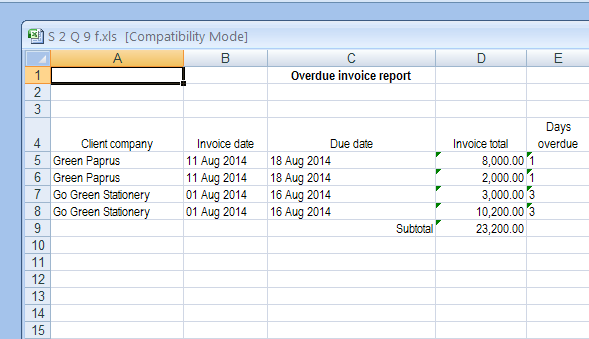
- This is how the report will look like on Excel