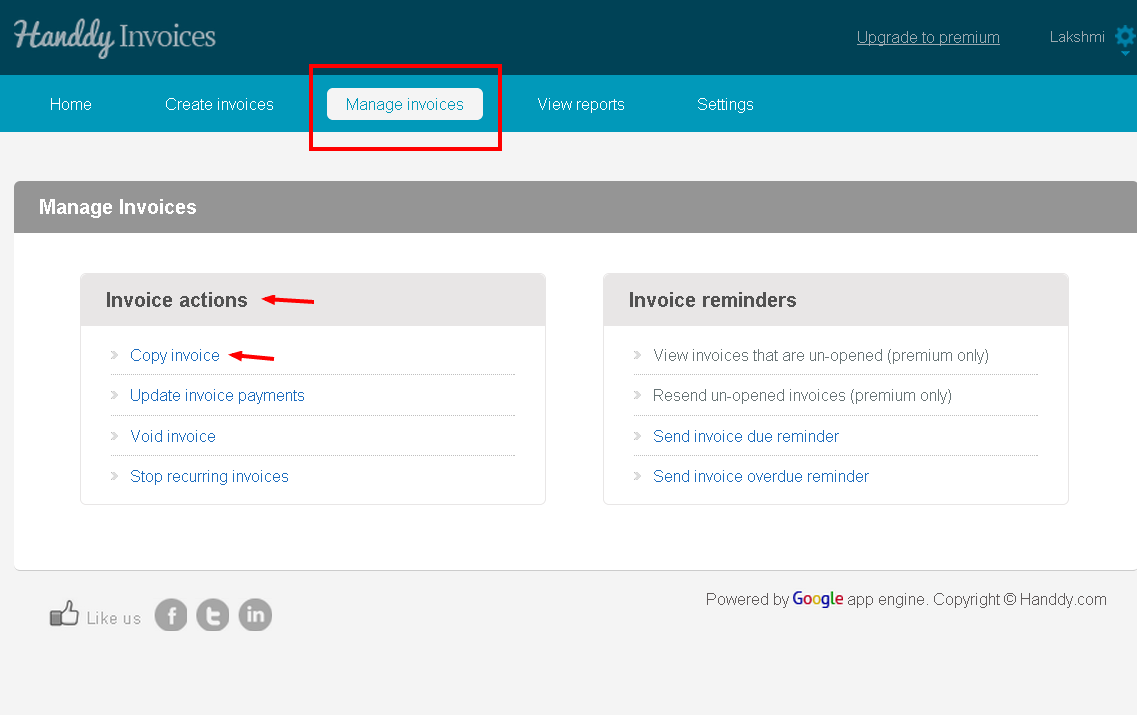
- Go to Manage Invoice >> Invoice action >> Copy Invoice
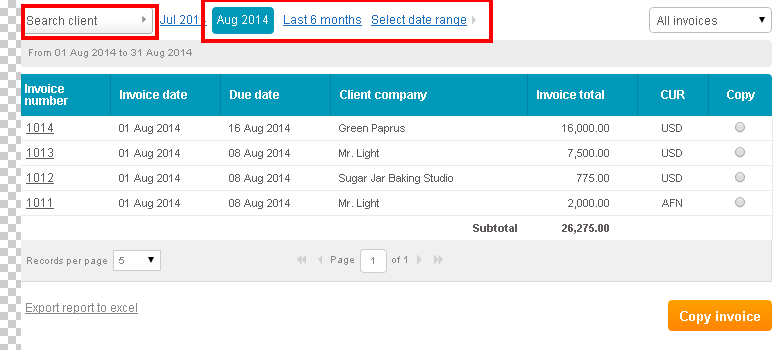
- List of invoices that you created will be displayed
- You can view invoices through time period option or ‘Search client’ option
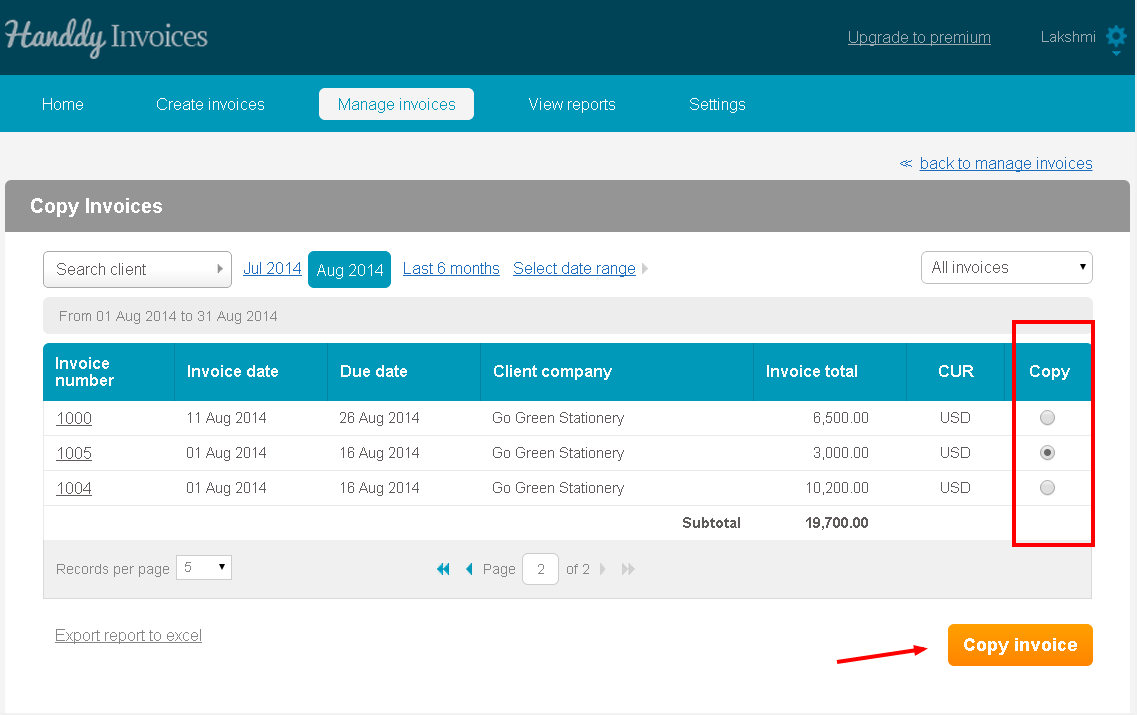
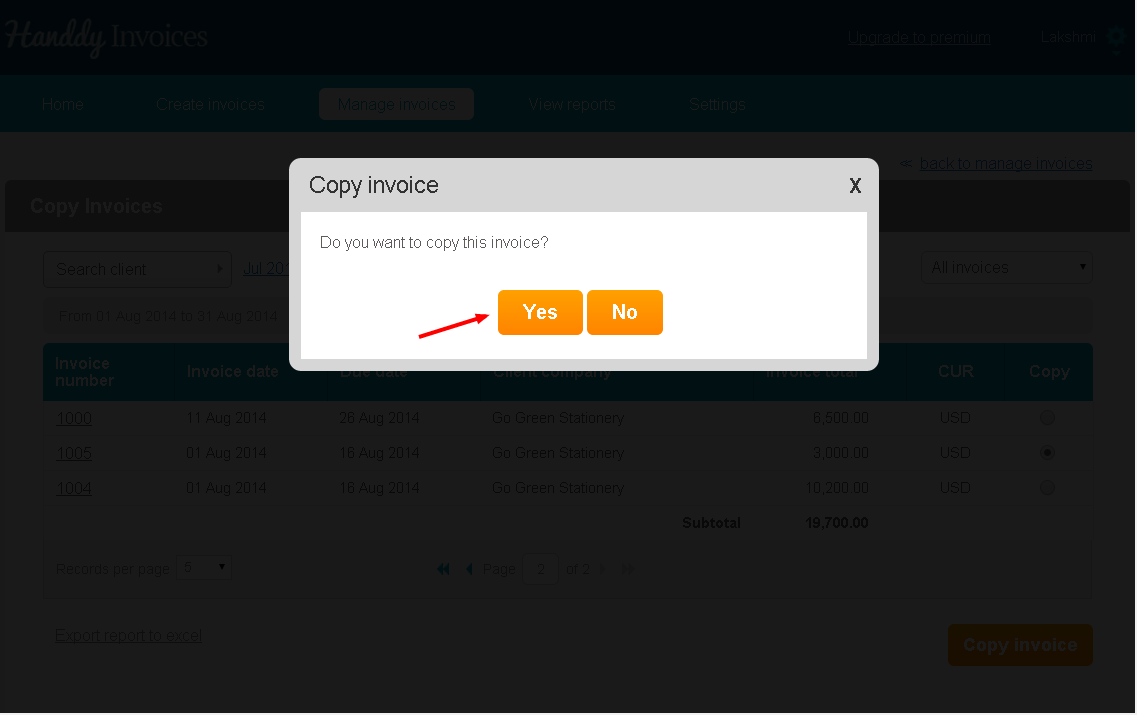
- In the ‘Copy’ section, select the particular invoice that you wish to copy. Then select ‘Copy Invoice’ button
- You will see a message asking if you wish to copy that invoice. Click ‘Yes’ option
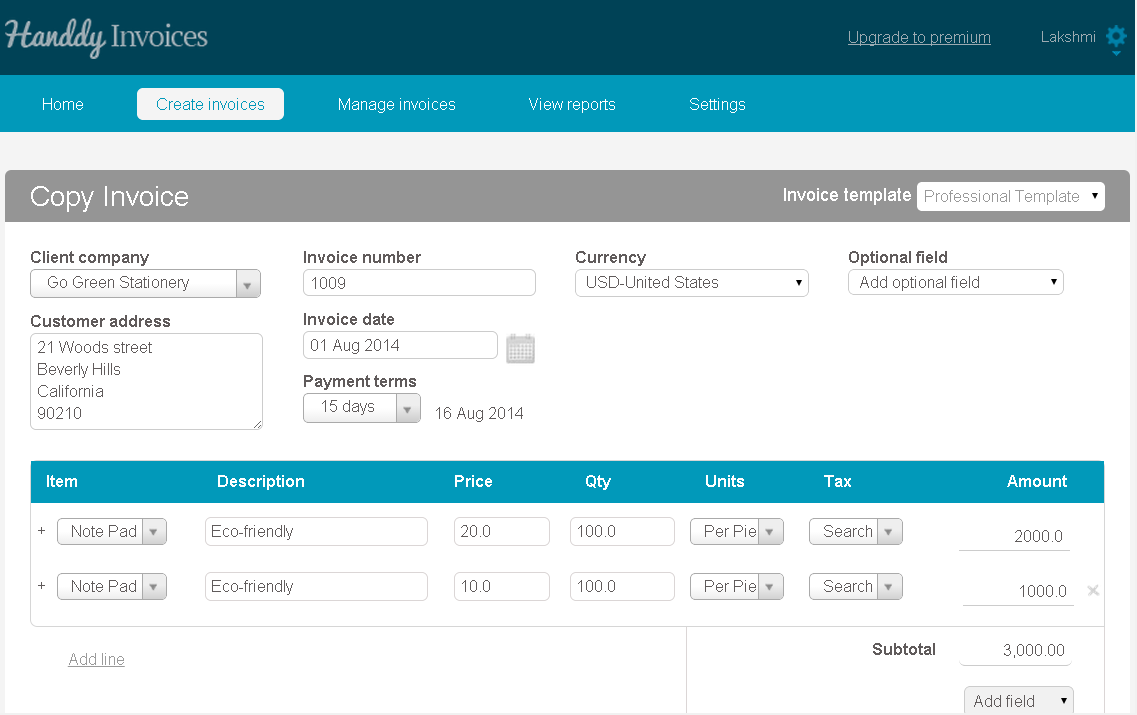
- The invoice that you have selected is copied with a new invoice number
- You can make any changes necessary and send this new invoice